
Small Business Website Design Cost Demystified

So, how much does a small business website actually cost? The honest answer is… it depends. It's a lot like buying a car. You could be looking at a small monthly payment for a basic model or tens of thousands of dollars for a custom-built machine.
- Small business website costs range from a few hundred to tens of thousands depending on complexity and features.
- Budget for hidden ongoing expenses like hosting, maintenance, security, and plugin licenses.
- Get detailed quotes from multiple providers and focus on ROI rather than just the lowest price.
Your Guide to Small Business Website Costs
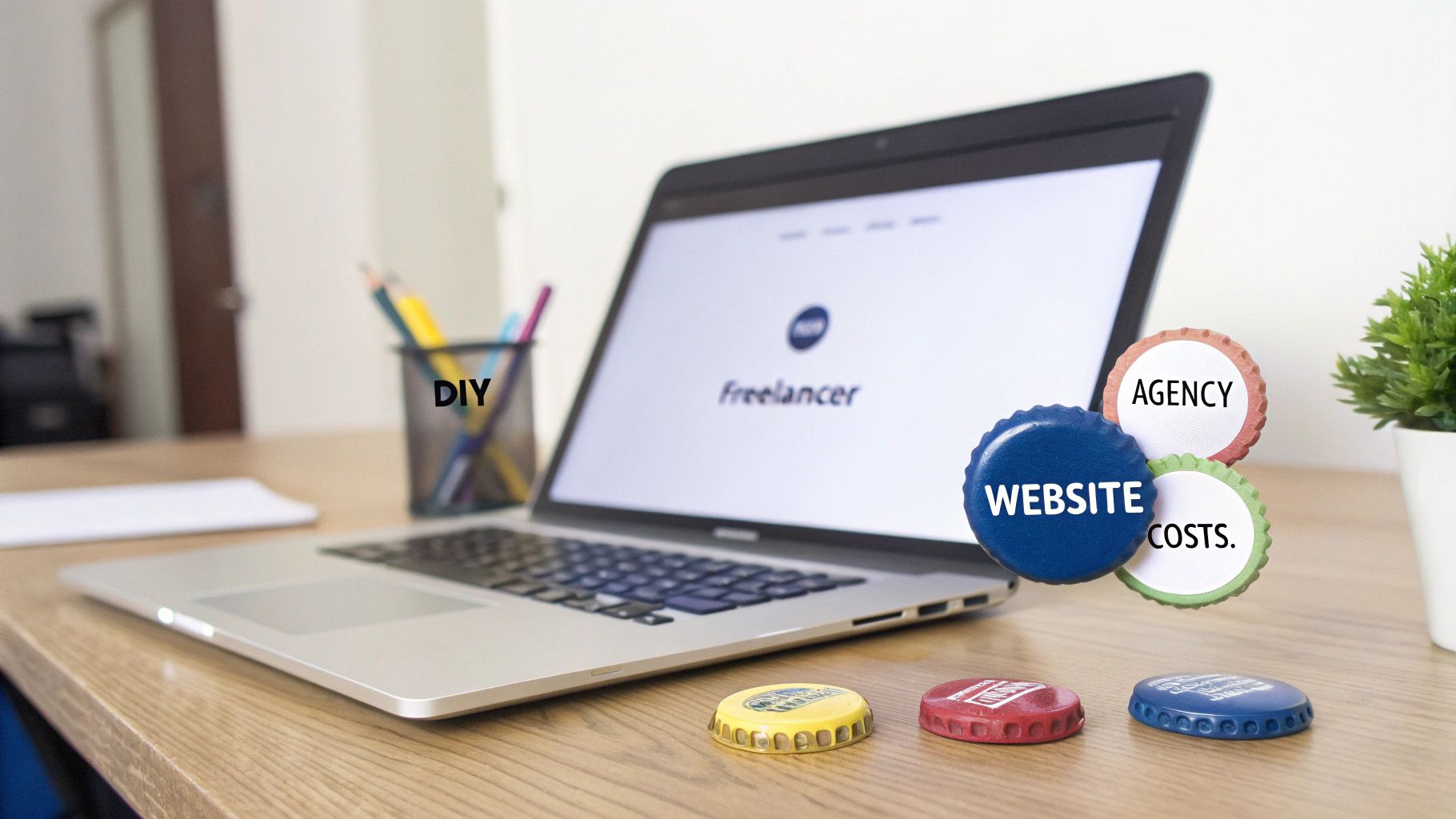
Trying to nail down a realistic budget for your website can feel overwhelming. It’s not just one single expense but a mix of choices that all shape the final price tag. Sticking with the car analogy, you could get a simple, effective scooter (a DIY site builder), a reliable family sedan (a freelancer-built site), or a custom truck built for heavy lifting (an agency project).
Each option gets you from A to B, but they all serve different needs and come with a very different level of investment. This guide is here to give you a quick lay of the land, breaking down the main factors that drive the price up or down. We'll get into how the features you want, the complexity of the build, and who you hire all connect to that final number.
To give you a head start before we dive deep, here’s a quick comparison of what you can generally expect from each approach.
Website Design Cost at a Glance
| Method | Typical Upfront Cost | Typical Monthly Cost | Best For |
|---|---|---|---|
| DIY Builder | $0 – $300 | $20 – $75 | Startups, hobbyists, or businesses with extremely tight budgets and simple needs. |
| Freelancer | $1,500 – $8,000 | $50 – $250 | Small businesses needing a professional touch without the overhead of a large agency. |
| Agency | $6,000 – $35,000+ | $250 – $1,000+ | Established businesses needing custom features, comprehensive strategy, and ongoing support. |
This table gives you a solid starting point for planning your budget and setting realistic expectations.
Understanding the Main Cost Tiers
The biggest decision you'll make, and the one that has the most impact on your budget, is who will build your website. This choice sets the stage for both your initial investment and what you'll pay down the road.
Your options almost always fall into one of three buckets:
- DIY Website Builders: Perfect for new businesses that just need to get online quickly and have a very limited budget. Think Wix or Squarespace.
- Freelance Designers: This is the middle ground. It's a great option for businesses that need a professional, well-designed site but don't require the strategic depth or team size of an agency.
- Full-Service Agencies: The best choice for complex projects. If you need serious strategy, custom code, and long-term support, this is where you should be looking.
Industry research backs this up. Typical price ranges shake out to about $20–$50 per month for DIY, $1,500–$8,000 for a freelancer, and $6,000–$35,000+ for an agency. For another perspective on these general costs, you can get more insights by understanding Australia's website design cost.
Your website is your business's digital storefront. The investment you make should match the foot traffic and sales you expect it to bring in. A simple online brochure has a very different value than a complex e-commerce engine.
Having this initial understanding is crucial. It lets you have realistic conversations about your budget, whether you're just launching or planning a major digital overhaul. The next sections will build on this foundation, giving you the tools to make a smart financial decision for your business.
Cracking the Code on Web Design Pricing
When you start shopping around for a web designer, you'll quickly find that quotes are all over the map. That's because not everyone charges the same way, and understanding these differences is the first step to making a smart investment. Think of it like hiring a contractor to build a deck: you could pay by the hour, agree on one price for the whole job, or even pay monthly to keep it in top shape.
Web design pricing works pretty much the same way. It usually falls into one of three buckets, and the right one for you really depends on your project's goals and how you like to manage your budget.
The Hourly Rate Model
This one is as straightforward as it gets. You pay a designer or an agency for the time they spend working on your website. For a professional designer, you can expect rates to fall somewhere between $75 and $150 per hour, though top-tier experts will often charge more.
So, when does paying by the hour make sense?
- For small, one-off tasks: Need a few quick fixes, some design advice, or ongoing tweaks without a full-blown project? Hourly is perfect.
- When your project is still taking shape: If you're building something complex and don't have the entire scope nailed down, an hourly rate gives you the freedom to figure things out as you go.
The big catch here is the risk of an unpredictable final bill. A project that hits unexpected snags can get expensive fast, which makes this model a bit of a gamble for larger builds. It really hinges on having a ton of trust and crystal-clear communication with your designer.
The Fixed-Price Project Model
This is the go-to for most small business websites. A designer or agency gives you a single, all-in price to deliver a website with a very specific set of features. For instance, a classic five-page website with a contact form might get a flat quote of $4,000.
This model shines when you know exactly what you want. Before any work starts, everyone agrees on what will be delivered—every page, every feature, and every round of revisions gets spelled out in a detailed contract.
Key Takeaway: The beauty of a fixed-price project is that you know exactly what you're paying and what you're getting. No surprise costs, no budget overruns… as long as you stick to the plan.
The tricky part comes when you want to change things mid-stream. Any request that falls outside that original agreement—what we call "scope creep"—will likely mean a new quote or an extra charge. That can slow things down and drive up the total cost.
The Monthly Retainer Model
Think of a retainer as a long-term partnership instead of a one-and-done project. You pay an agency a set fee each month for a whole bundle of services designed to keep your site growing and improving.
A typical retainer might include:
- Initial Website Build: The cost of building the site can be spread out over the first few months of the agreement.
- Ongoing Maintenance & Security: This covers all the essential updates, backups, and security checks to keep your site safe.
- SEO & Content: Your agency will continuously work to improve your search rankings and attract more visitors.
- Support & Strategy: You get direct access to the team for quick updates, questions, and advice on what to do next.
This is the perfect fit for businesses that see their website as a living, breathing marketing machine, not just a static online brochure. It turns a big one-time expense into a predictable monthly operational cost, often ranging from $500 to $5,000+, depending on what's included. A retainer ensures your site is never out of date and is always working hard to bring in new leads and sales.
How Website Features Drive Your Final Cost
Beyond the pricing model, the single biggest thing that shapes your small business website design cost is complexity. Think of it like building a house. A simple one-bedroom cottage has a very different price tag than a multi-story home with a custom kitchen, smart home wiring, and a swimming pool. The foundation might be similar, but the features and finishes are what really drive the budget.
Your website works the exact same way. Every feature you add, from a simple photo gallery to a complex online booking system, adds more design, development, and testing time. This is where the cost starts to climb.
The Tiers of Website Complexity
To budget right, it helps to think of websites in tiers. Each level serves a different purpose for your business and comes with a different level of investment. Figuring out where your needs fit is the first step to getting an accurate quote.
- The "Digital Business Card" (Brochure Site): This is your starting point. It’s a simple, professional website—usually 3-5 pages—that tells people who you are, what you do, and how to find you. It’s all about establishing legitimacy and providing the basics.
- The "Lead Generation Engine" (Marketing Site): This is a serious step up. It's built not just to exist, but to actively pull in and convert visitors. These sites almost always include a blog, detailed service pages, lead capture forms, and clear calls-to-action to guide users toward a goal.
- The "Online Storefront" (E-commerce Site): This is where you start selling directly online. It requires features like product pages, a shopping cart, secure payment processing, inventory management, and customer accounts. The complexity can range from just a few products to thousands.
- The "Custom Web Application" (Bespoke Platform): This is the most advanced tier. We’re talking about building unique, interactive tools from the ground up—things like membership portals, custom calculators, client dashboards, or online learning platforms. These projects require a ton of custom coding and integration work.
This diagram shows how different pricing models often line up with the scale of the project.
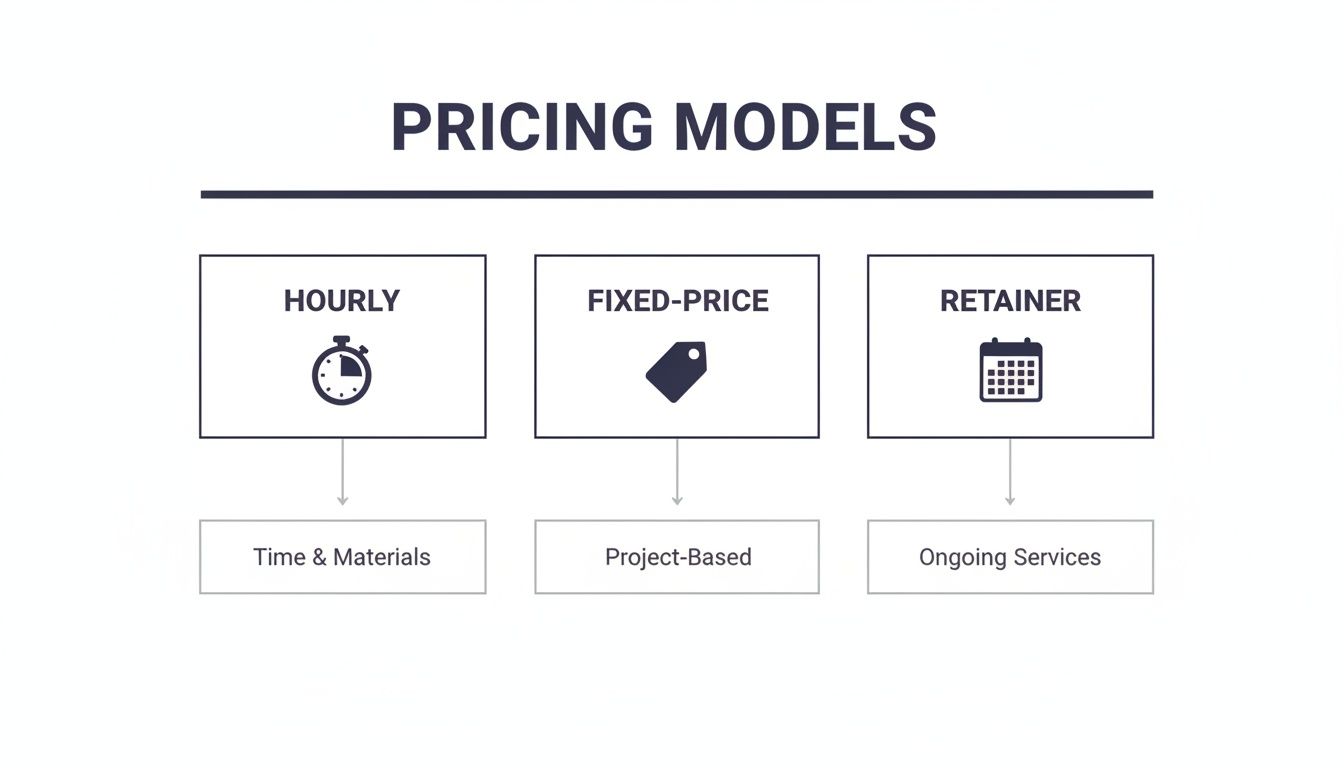
As you can see, the model usually matches the complexity. Hourly rates work for small tasks, while fixed-price or retainer models are better suited for larger, feature-heavy builds.
Key Features That Increase Your Investment
So, what specific features make the price jump from one tier to the next? It’s not just about the number of pages, but what those pages do. Certain functions just require more expertise, more development hours, and sometimes, more third-party software costs.
A website's cost is a direct reflection of the value it's expected to create. A site that simply provides information is a necessary expense; a site that generates leads and sales is a powerful investment.
Let's break down some of the most common cost-drivers:
- E-commerce Functionality: This is one of the biggest leaps in complexity, period. Setting up secure payments, managing shipping rules, and handling taxes adds a major layer to the build. Adding even a basic product catalog can easily double the cost of a standard brochure site.
- Custom Design vs. Templates: A template is like buying a suit off the rack—it's fast and gets the job done. A custom design is like getting a suit tailored—it’s crafted to fit your brand perfectly, creating a unique experience that sets you apart. That custom work naturally comes at a premium.
- Third-Party Integrations: Does your website need to "talk" to other software you use, like a CRM, an email marketing platform, or an accounting system? Connecting these systems requires building an API integration, which is a specialized development task that adds to the project timeline and cost.
- Membership or Login Portals: Creating a secure area where users can log in to access exclusive content or manage their accounts is a complex feature. It requires building a solid user authentication system and managing different access levels.
- Advanced Animations and Interactivity: Subtle, well-placed animations can make a site feel modern and slick. But complex, custom-coded animations or interactive elements that respond to a user’s cursor require a high level of front-end development skill and can really add up the hours.
A quick look at the numbers confirms these features are what separate a simple site from a major project. While a basic landing page might run from $150–$500, adding a simple e-commerce function can push a $4,000 brochure site into the $4,000–$8,000 range. Fully custom e-commerce platforms often start between $5,000–$20,000 and can easily shoot past $50,000 as features multiply. To get a better feel for these numbers, you can dig into more detailed website pricing reports.
Sample Cost Breakdown by Website Type
To give you a clearer picture, here’s a rough breakdown of how features influence the cost for different types of websites. Remember, these are estimates—your final price will depend on the specifics of your project.
| Website Type | Key Features | Estimated Cost Range |
|---|---|---|
| Landing Page | Single page, lead capture form, call-to-action | $150 – $500 |
| Brochure Site (3-5 pages) | Home, About, Services, Contact, basic SEO | $1,500 – $4,000 |
| Marketing Site (5-10 pages) | All brochure features + blog, lead magnets, CRM integration | $4,000 – $8,000 |
| Basic E-commerce | Up to 100 products, secure checkout, payment gateway | $5,000 – $20,000 |
| Advanced E-commerce | Custom design, thousands of products, advanced filtering, customer accounts, third-party integrations | $20,000 – $50,000+ |
| Custom Web Application | Membership portal, user dashboards, custom-built tools | $25,000 – $100,000+ |
Ultimately, the goal is to build a website that delivers real value. Whether that’s a simple online business card or a complex sales machine, understanding how features impact the cost is the key to making a smart investment.
Budgeting for Hidden and Ongoing Expenses
The initial small business website design cost is really just the down payment. Thinking a website is a one-and-done purchase is a common pitfall. It’s not like buying a desk for the office; it's much more like buying a company car.
You wouldn’t buy a car and then forget about gas, insurance, and regular oil changes, would you? Your website is the same. It needs ongoing care to protect your investment and make sure it keeps working for you. Ignoring these recurring costs often leads to security nightmares, slow performance, and eventually, a much bigger bill to fix everything that’s broken. Budgeting for these from the get-go is key.
Core Recurring Website Costs
No matter how simple your website is, there are a few expenses you just can't skip. These are the absolute essentials to keep your site online and functioning year after year. Think of them as your digital rent and utilities.
Here are the fundamentals you'll see on the invoice:
- Domain Name Registration ($10 – $20 per year): This is your website's address on the internet, like
siteigniters.com. It's a small but critical annual fee you pay to keep your URL. - Web Hosting ($10 – $300+ per month): Hosting is the physical space on a server where your website's files live. Cheap shared hosting plans look good on paper, but they often mean slow load times and weak security, which hurts your Google rankings and scares away customers.
- SSL Certificate ($0 – $100+ per year): This is what puts the little padlock icon in the browser bar, encrypting data between your site and your visitors. Most hosts throw in a basic SSL for free, but if you're handling payments or sensitive info, a premium certificate is a smart upgrade for extra security and trust.
These three things are the bare minimum. Without them, your website simply doesn't exist online.
Maintenance and Growth Investments
Once you have the basics covered, it's time to think about security, performance, and actually growing your business. This is where you shift from just "keeping the lights on" to making your website a powerful tool that brings in leads and sales.
A professional website maintenance plan is easily the most important ongoing expense after hosting. It’s your insurance policy and your on-call mechanic all rolled into one.
A maintenance plan isn't a cost; it's protection. It safeguards your site against hackers, ensures it runs smoothly for visitors, and prevents minor issues from snowballing into catastrophic failures that could take your business offline.
This usually covers the critical stuff: regular software updates, security scans, and daily backups. Skipping these updates is a huge risk, as over 40% of cyber attacks are aimed at small businesses just like yours.
Other investments to plan for include:
- Premium Plugin & Software Licenses ($50 – $500+ per year): If your site uses special tools for things like online booking, e-commerce, or advanced contact forms, those often come with annual renewal fees to keep getting updates and support.
- Ongoing SEO Services ($500 – $5,000+ per month): Having a website is step one; getting people to find it is the real challenge. Search Engine Optimization is the ongoing work that keeps you visible on Google and brings in a steady flow of potential customers.
- Content Creation ($50 – $150+ per page/post): A stale website is a dead website. Budgeting for new blog posts, service pages, or case studies keeps your site fresh for both visitors and search engines.
- Accessibility Compliance: Making sure your website is usable by people with disabilities isn't just the right thing to do—it's a legal requirement. You can learn more about how to navigate ADA website compliance and keep your business protected.
As a rule of thumb, it’s wise to budget $600–$3,000 per year for the essentials like security, backups, and software updates. A better approach? Plan on setting aside 10–20% of your initial build cost annually. This gives you a realistic buffer for maintenance and any unexpected upgrades you might need down the road.
Investing in Growth, Not Just a Website
It's time for a mindset shift. Stop thinking of your small business website design cost as a one-time expense and start seeing it as an ongoing investment in your business's future. Too many business owners treat their website like a brochure—once it's printed, the job is done.
But a website is more like a high-performance vehicle. If you never change the oil or tune the engine, it's not going to end well.
For a while, things might seem fine on the surface. But underneath, problems are quietly brewing. Sooner or later, you're looking at a catastrophic breakdown that's far more expensive than routine maintenance ever would have been. A proactive, consistent investment is just smarter—and a lot more affordable—than a massive, painful redesign every few years.
The True Cost of a Neglected Website
A website left untouched for months or years isn't just standing still; it's actively costing you money. The digital world moves at lightning speed, and an outdated site quickly becomes a liability that bleeds cash in more ways than one.
Here’s how a stale website hurts your bottom line:
- Security Vulnerabilities: Outdated software and plugins are a welcome mat for hackers. This puts your business and, more importantly, your customer's data, at serious risk.
- Poor User Experience: Broken links, glacial load times, and a design that looks terrible on a phone are frustrating. In fact, they're frustrating enough to make 90% of users leave and head straight to your competitor.
- Tanking Search Rankings: Google's algorithms reward fresh, secure, and speedy websites. A neglected site will inevitably sink in search results, becoming invisible to potential customers who are actively looking for you.
Sadly, many small businesses fall into this trap. Research shows about a quarter of them update their sites less than once a year. When they finally bite the bullet for a redesign after 3-5 years of neglect, the costs can explode, ranging anywhere from $3,000 to $75,000. To make matters worse, more than half of these overhaul projects drag on for six months or longer. You can dig into more stats about how infrequent updates inflate website costs over at NetworkSolutions.com.
Adopting a Growth-Driven Mindset
Instead of the old "set it and forget it" approach, the smart money is on treating your website as a dynamic tool that gets regular tune-ups. This is the whole idea behind growth-driven design, a strategy built on continuous, iterative improvement.
Your website shouldn't be a static digital monument. It should be your hardest-working employee, constantly learning, adapting, and generating a return on investment 24/7.
This strategy completely eliminates the need for those disruptive and wallet-busting overhauls. By making small, data-informed tweaks over time, you ensure your digital storefront is always running at peak performance. It's about consistently investing in the areas that actually produce results.
For example, a solid growth strategy involves regularly updating your content and shoring up the technical foundation to improve your visibility on search engines. A consistent search engine optimization (SEO) strategy is a perfect example of how this drives long-term growth.
When you make these smart, ongoing investments, your website transforms into a reliable engine for your business, not a ticking time bomb.
How to Get an Accurate Web Design Quote
So, you're ready to start talking numbers with a designer or an agency. Great! But getting a clear, comprehensive quote for your website hinges on one critical ingredient: preparation.
Walking into that conversation unprepared is like asking a builder, "How much for a house?" without mentioning how many bedrooms you need or what style you're going for. You’ll get a vague answer, a wild guess, or a price that’s bound to change.
To sidestep those frustratingly vague estimates and avoid surprise fees down the road, you just need to do a little homework first. The goal here is to paint a clear picture of your vision. That way, any potential partner can give you a proposal that's both precise and realistic.
Define Your Project Before You Ask for a Price
Before you send a single email, take some time to map out the fundamentals of your project. This simple step can save you hours of back-and-forth and, more importantly, ensures every quote you receive is for the same scope of work. It’s the only way to accurately compare your options.
Start by answering these core questions:
- What's the primary goal? Are you trying to generate leads? Sell products online? Or simply establish a professional, credible online presence? Get specific.
- Who is your target audience? Take a minute to describe your ideal customer. This gives designers crucial insight into the kind of user experience they need to create.
- What are your must-have features? Make a list of the non-negotiables. This could be a blog, an e-commerce store, a photo gallery, or an online booking system.
Next, pull together a simple project brief. This doesn't need to be a formal, 20-page document. Just gather a few examples of websites you admire. For each one, note what you like about its design, layout, or functionality. This kind of visual reference is invaluable for communicating your taste and expectations.
Providing clear goals and examples isn't about telling designers how to do their job; it's about giving them the right destination so they can map out the best route to get you there.
Ask the Right Questions to Avoid Surprises
Once you have your brief ready, you can confidently start reaching out for quotes. Many agencies, including our Sacramento-based team, have streamlined processes to help you through this. You can get a feel for what to expect when you request a professional web design proposal.
When a quote lands in your inbox, your job is to look beyond the final number. A good proposal should be detailed, but it's still up to you to ask clarifying questions to make sure you understand exactly what you’re paying for.
Here are some crucial questions to ask:
- What is explicitly included in this price? Ask about the total number of pages, how many design revisions are included, and what specific features are covered.
- What isn't included? Are things like logo design, content writing, or stock photography considered extra? It's better to know now.
- How do you handle requests that are out of scope? You need to understand their process for changes and how they charge for any additional work that comes up.
- What are the ongoing costs? Clarify expenses for things like hosting, maintenance plans, and software licenses after the site goes live.
Asking these questions helps you compare apples to apples, not apples to oranges. It’s the best way to ensure you partner with an agency that truly gets your business needs and respects your budget. Some agencies even use interactive tools to generate estimates; understanding how to build a pricing calculator for website projects can give you a peek behind the curtain at how your quotes are put together.
Got Questions About Website Costs? We've Got Answers.
As you start to put a budget together, you're bound to have some questions. It’s totally normal. Getting these sorted out is the best way to move forward with confidence and make a smart decision about your small business website design cost.
Let's dive into some of the most common things business owners ask.
Why Does a Custom Design Cost More Than a Template?
This is a classic question. The easiest way to think about it is like buying a suit. A template is like grabbing one off the rack—it's quick, it's cheaper, and it gets the job done for a lot of people.
A custom design is the bespoke, tailored suit. It’s made just for you. It’s crafted to fit your brand's exact measurements, vibe, and personality.
That higher price tag comes from the hands-on, expert work involved:
- Deep Dive & Strategy: A real designer sits down to actually understand your business, your customers, and what you’re trying to achieve.
- Unique User Experience (UX): The entire flow of the site is built from the ground up to lead your specific customers to take action, whether that's calling you, buying a product, or filling out a form.
- Perfect Brand Alignment: Every color, font, and image is chosen to scream "you," not forced into some pre-made box that a thousand other businesses are using.
This approach creates a digital presence that people remember. It’s a serious competitive advantage in a crowded market.
Can I Add E-commerce Later? And How Does That Affect the Price?
Absolutely. Plenty of businesses start with a straightforward marketing site and bolt on e-commerce features as they grow. But a little foresight here can save you a lot of money and headaches down the road.
If your first site is built on a flexible platform like WordPress with WooCommerce, adding a store later is relatively painless. The cost will mostly cover setting up your products, payment systems, and shipping rules.
However, if your site was built on a rigid platform not meant for e-commerce, you might be looking at a major, expensive rebuild to make it happen. Planning for it from day one is always the smarter, more cost-effective play.
How Does Accessibility Fit Into the Budget?
Making sure your website works for people with disabilities (often called ADA or WCAG compliance) isn't a "nice-to-have" feature anymore. It’s a business, legal, and ethical must-do. Building for accessibility from the get-go is way cheaper than getting sued and having to fix a non-compliant site later.
Accessibility isn't an add-on; it's a core part of a professionally built website. Being proactive protects you from legal trouble and opens your doors to the over 60 million Americans living with a disability.
The initial costs are baked into the design and development process to make sure the code and layout meet specific standards. You might also have small, ongoing costs for periodic check-ups to stay compliant as you add new content.
What’s the Difference Between One-Time and Ongoing SEO Costs?
This one trips a lot of people up, so it's a crucial distinction.
Technical SEO setup is usually a one-time cost rolled into your initial website project. Think of it as building a house with a solid foundation. This covers things like a logical site structure, making sure it's fast, and ensuring it works perfectly on mobile phones.
Ongoing SEO strategy, on the other hand, is a recurring monthly investment. This is the active, continuous work of creating content, earning links from other sites, and tweaking your strategy to keep up with Google's changes.
One gets your car to the starting line, ready to go. The other is the fuel and the driver that actually wins the race.
Ready to stop guessing and get a clear, accurate quote that turns your website from an expense into a powerful growth engine? The team at Site Igniters specializes in building high-performance, accessible, and SEO-ready websites for Sacramento businesses. Let's build something that actually moves the needle. Explore our web design services.
Seth Sanders is the founder of Site Igniters, a digital marketing agency in El Dorado Hills, California.