
What Is WCAG Compliance? Your Guide to Web Accessibility

At its heart, WCAG compliance means your website is built like a public building—complete with ramps, automatic doors, and clear signage. It's designed so that everyone, including people with disabilities, can get in, navigate around, and use it effectively.
- WCAG compliance means building your website so everyone, including people with disabilities, can access and use it.
- There are three conformance levels (A, AA, AAA); most businesses should target Level AA as the practical standard.
- Ignoring web accessibility exposes your business to legal risk and excludes a significant portion of potential customers.
These aren't just suggestions; they are a set of international guidelines called the Web Content Accessibility Guidelines. They've become the global gold standard for making the web a welcoming place for all, especially those with vision, hearing, motor, or cognitive impairments.
What WCAG Compliance Means in Simple Terms
Think of WCAG as the digital version of a building code. Just like physical spaces need ramps and elevators, websites need specific features to ensure everyone can interact with them. Without these guidelines, the internet becomes a maze of digital staircases and locked doors for a huge part of the population.
This goes way beyond a technical checklist; it's a framework for genuine inclusivity. A big part of WCAG compliance is understanding and implementing different accessibility features that tear down these digital barriers, making sure your content is available to every single user, no matter how they access it.
The Four Pillars of Accessibility: POUR
To make these standards less intimidating, WCAG is built around four foundational principles. Known by the acronym POUR, these principles are the bedrock of any truly accessible website. They demand that all web content must be Perceivable, Operable, Understandable, and Robust.
Let's break down what that actually means.
The Four Core Principles of WCAG at a Glance
This table gives a quick look at how the POUR principles translate from abstract ideas into real-world user experiences.
| Principle | What It Means for Users | Simple Example |
|---|---|---|
| Perceivable | Users must be able to process the information through their available senses. Nothing should be hidden. | Adding descriptive "alt text" to an image so a screen reader can describe it out loud. |
| Operable | Users must be able to navigate and interact with the website, regardless of their physical abilities. | Making sure the entire site can be used with just a keyboard, no mouse required. |
| Understandable | The content and site functionality must be clear and predictable. No guesswork allowed. | Using simple language and providing clear instructions for filling out a form. |
| Robust | Content must work reliably across different devices, browsers, and assistive technologies—now and in the future. | Writing clean, standard-compliant code that a screen reader or new browser can easily interpret. |
Each pillar provides the "why" behind every specific guideline. By focusing on these four principles, you stop just checking boxes and start building an online experience that is fundamentally more human-centric and effective for every visitor.
Why Digital Accessibility Is a Modern Imperative
Digital accessibility isn't some niche concern for a tiny sliver of users. It’s a mainstream issue that impacts millions of people every single day. The hard truth is that the overwhelming majority of websites are failing to meet even the most basic accessibility standards.
This isn't just an inconvenience; it's a digital wall that effectively locks a huge portion of the population out of essential services, information, and online stores.
Don't just take my word for it. According to the influential WebAIM Million report, an absolutely staggering 94.8% of the world's top one million home pages had detectable WCAG 2 failures. That means only about 5.2% of major websites are even minimally compliant. This data shows a massive gap between knowing what’s right and actually doing it.
These failures aren’t just obscure technical glitches, either. They are real-world barriers that stop people from using the web. For someone with a visual impairment, accessibility is everything. They often rely on tools like Text-to-Speech solutions for visual impairment to browse the internet, and when a site is built without them in mind, it becomes completely unusable.
The Most Common Accessibility Barriers
So, what are these common problems? The same WebAIM report pinpointed a few recurring issues that create serious roadblocks. You might be surprised at how seemingly small oversights can render a website impossible to navigate.
The top three most common errors were:
- Low Contrast Text: Found on a whopping 79.1% of home pages. This makes content difficult or impossible to read for anyone with low vision.
- Missing Alternative Text: Present on 55.5% of home pages. Without alt text, screen reader users have no idea what an image is about.
- Missing Form Input Labels: An issue on 48.2% of home pages, which makes filling out a simple contact or checkout form a confusing and frustrating ordeal.
These numbers paint a pretty clear picture. Poor color contrast, unlabeled forms, and images without descriptions aren't minor flaws—they are major barriers that exclude people. Ignoring these problems is the digital equivalent of building a storefront with no wheelchair ramp.
By failing to address these basic accessibility needs, businesses are not just risking legal action; they are actively turning away potential customers and undermining their own commitment to inclusivity.
Moving from Awareness to Action
Understanding what is WCAG compliance is the first step, but realizing how urgent it is—that's what drives real change. These guidelines aren't just technical suggestions; they're a roadmap for creating a fair and effective online space for everyone. The sky-high rate of non-compliance actually signals a huge opportunity for businesses to stand out by simply doing the right thing.
By putting accessibility first, you shield your organization from major legal risks, which we cover in our guide on ADA website compliance. Even more importantly, you build a stronger, more inclusive brand that welcomes every single visitor.
This isn't just about dodging lawsuits. It’s about unlocking a wider audience, improving the user experience for all your customers, and cementing your reputation as a company that cares. Accessibility is both a business and an ethical imperative.
Decoding the Three Levels of WCAG Conformance
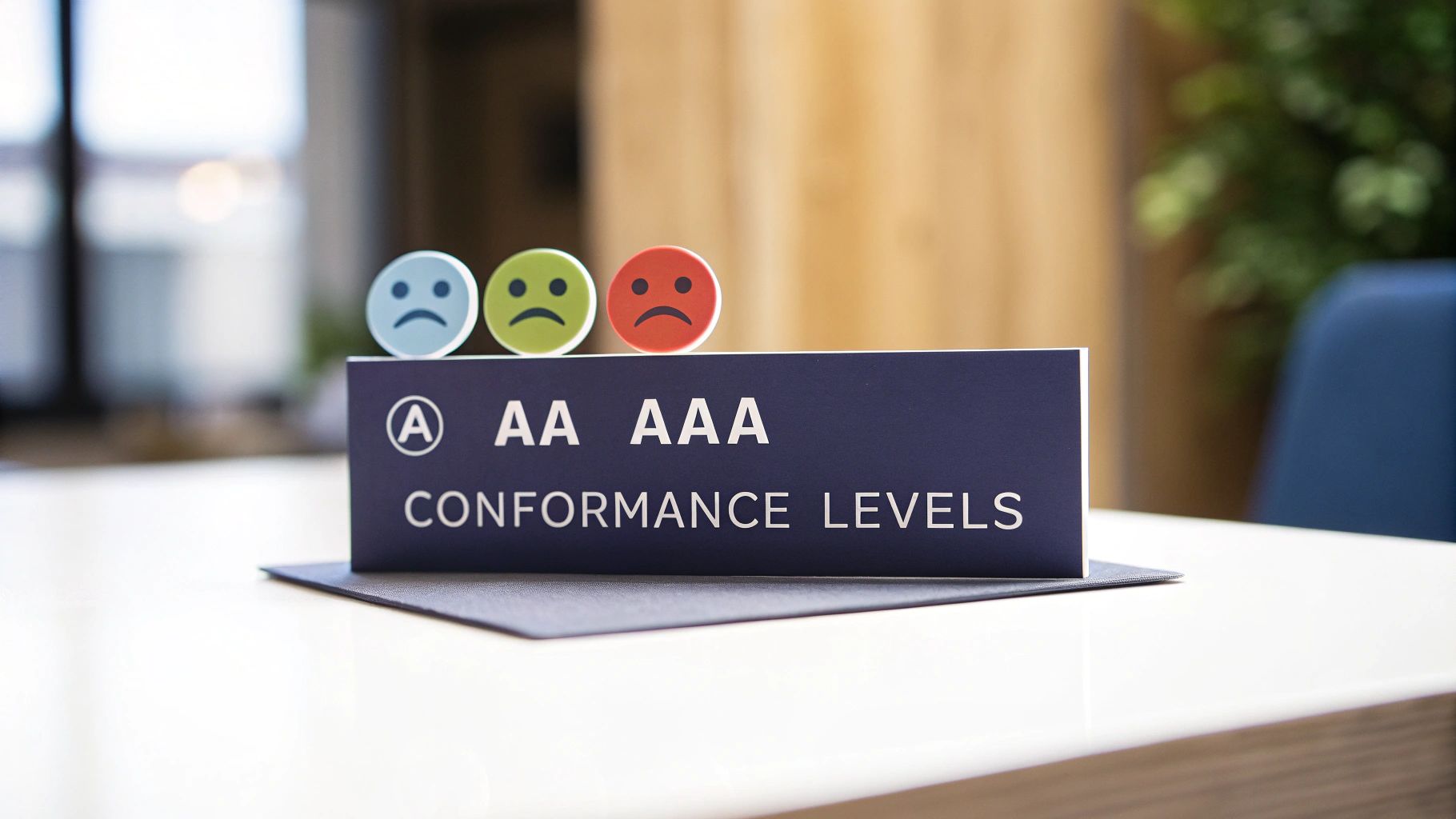
When you start digging into WCAG, you'll see that accessibility isn't a simple on/off switch. Instead, the guidelines are broken down into three different tiers: Level A, Level AA, and Level AAA.
Think of it like getting your car's safety rating. A basic model has essential safety features, while a premium model adds more advanced protections. Each level of WCAG builds on the last one, offering a clearer path to making your site usable for everyone. To hit Level AA, for instance, you have to meet all the Level A requirements first. This tiered system helps you prioritize and tackle the biggest issues right away.
Level A: The Essential Foundation
Level A is the absolute baseline for web accessibility. It covers the most critical and common barriers that people with disabilities face online. If a website doesn't meet these criteria, it’s likely that some users won't be able to use it at all. Period.
This is the digital version of putting a ramp next to the stairs of a building. It's the bare minimum for providing basic access. Level A requirements are non-negotiable for ensuring your site is even functional for many people.
A classic Level A example is requiring captions for all pre-recorded videos that have audio. Without them, anyone who is deaf or hard of hearing is completely left out. It’s the starting point, not the finish line.
Level AA: The Industry Standard
Level AA is where most businesses and organizations should be aiming. This is the level that’s most often referenced in accessibility laws and legal cases around the world. It goes beyond the most severe barriers to make your site accessible and usable for a much broader audience.
While Level A gets the door open, Level AA makes sure people can actually navigate the room. Hitting this standard shows a real commitment to inclusivity and gives you a strong, legally defensible position.
Why Level AA is the Sweet Spot: For most organizations, achieving Level AA conformance is the goal. It offers a robust level of accessibility that tackles the most common user challenges and aligns with legal standards, striking the perfect balance between usability and feasibility.
A key Level AA rule is that text and images of text must have a color contrast ratio of at least 4.5:1. This one change makes content much easier to read for people with low vision or some forms of color blindness—a far more common issue than you might think.
Level AAA: The Gold Standard
Level AAA is the highest possible standard of web accessibility. The goal here is to make your content accessible to the widest possible audience, addressing even the more nuanced or specific challenges people face.
Because it's so rigorous, Level AAA is usually reserved for specialized websites, like those for government agencies or organizations focused on specific disability communities. For an average business site, trying to meet every single AAA requirement can sometimes get in the way of the overall design and user experience for the majority of visitors.
For example, a Level AAA criterion is to provide sign language interpretation for all pre-recorded video content. While this is incredibly helpful for some, it's a huge undertaking that isn't practical for every company's entire video library.
WCAG Conformance Levels A vs AA vs AAA
To make it even clearer, let's break down the key differences between the three conformance levels. This table gives you a quick snapshot of what each level covers, who it's generally for, and a concrete example.
| Conformance Level | What It Covers | Who It's For | Example Requirement |
|---|---|---|---|
| Level A | The most critical and basic accessibility barriers that block access for many. | Every website. This is the absolute minimum, non-negotiable starting point. | Provide text alternatives ("alt text") for all non-text content like images. |
| Level AA | Significant and common accessibility barriers. Removes major obstacles. | Most businesses, organizations, and public sector sites. This is the legal standard. | Ensure a color contrast ratio of at least 4.5:1 for text and images of text. |
| Level AAA | The highest, most comprehensive level of accessibility. | Specialized websites, government services, or apps for specific disability communities. | Provide sign language interpretation for all pre-recorded videos. |
Ultimately, understanding these levels helps you create a realistic and effective accessibility strategy. Most should aim for Level AA, as it provides a strong, user-friendly, and legally sound experience for the vast majority of people.
The Real Costs of Ignoring Web Accessibility
Knowing the different levels of WCAG compliance is one thing, but truly understanding the consequences of falling short is something else entirely. Ignoring web accessibility isn't just a missed opportunity—it's an active business risk with very real, often crippling, costs that go way beyond a single user's bad experience.
The most direct threat? Legal action. In the last few years, we've seen a massive surge in digital accessibility lawsuits filed under laws like the Americans with Disabilities Act (ADA), hitting businesses of all shapes and sizes. These aren't just minor legal headaches; they're expensive, time-consuming fights that can drain huge amounts of money and attention away from what you do best.
The Financial Fallout of Lawsuits
When a lawsuit lands on your desk, the financial damage comes from all sides. It's not just about the final settlement number. The costs start stacking up fast, creating a serious financial weight that can drag down your bottom line for years.
These expenses usually include:
- Legal Defense Fees: Paying lawyers to defend your case is expensive, no matter if you win or lose.
- Settlement Payouts: Most businesses settle out of court to avoid a long, drawn-out battle. That means writing a check directly to the plaintiffs.
- Mandatory Remediation: Courts often order businesses to fix their websites, forcing them into expensive, rushed development projects.
- Plaintiff's Attorney Fees: Yep, in many of these cases, you'll also be on the hook for the other side's legal bills.
This isn't pocket change we're talking about. Research shows the average cost of an accessibility lawsuit lands somewhere between $175,000 and $775,000 when you add up all the fees and fixes. You can see more eye-opening web accessibility stats on allaccessible.org to get the full picture.
The Hidden Costs to Your Brand and Revenue
The damage from non-compliance isn't just about the money you'll spend. The blow to your brand's reputation can be far worse and stick around for a lot longer. People today care about corporate responsibility, and an accessibility lawsuit paints a picture of your company as careless and exclusive.
An inaccessible website sends a clear message: "Some customers are not welcome here." This exclusion doesn't just alienate one user; it damages trust with your entire audience.
This bad press has a ripple effect. After a lawsuit, 62% of consumers say they would actively avoid a brand. The negative news coverage that follows averages a jaw-dropping 2.4 million impressions. That's a huge audience learning that your business couldn't be bothered to provide equal access.
On top of that, you're shutting the door on a massive market. The global spending power of people with disabilities and their families is in the trillions of dollars. An inaccessible website is a dead end for this enormous customer base. You're not just missing out on sales but also on the chance to build loyalty with a community known for its strong brand allegiances.
Plus, making your site accessible is a core part of any solid digital marketing plan. Many of the best practices—like using clear headings, structured data, and alt text for images—directly boost your search engine optimization (SEO), making your site easier for everyone to find. By ignoring accessibility, you're leaving both money and search rankings on the table.
Your Practical Roadmap to Achieving WCAG Compliance
Knowing the principles and the high cost of ignoring accessibility is one thing, but now it’s time to get to work. Achieving WCAG compliance can feel like a mountain to climb, but breaking it down into a clear roadmap makes it a series of manageable steps. This isn't about a frantic, one-time fix; it's about building accessibility into the very DNA of your organization.
Your journey starts with an honest look at where you are right now. From there, you can create a smart plan that tackles the biggest roadblocks first, delivering real, immediate impact for your users. This approach turns a complex goal into a clear, step-by-step project.
If you don't take action, the path of non-compliance usually leads to escalating risks. It starts with excluding users and can quickly spiral into lawsuits and serious damage to your brand's reputation.
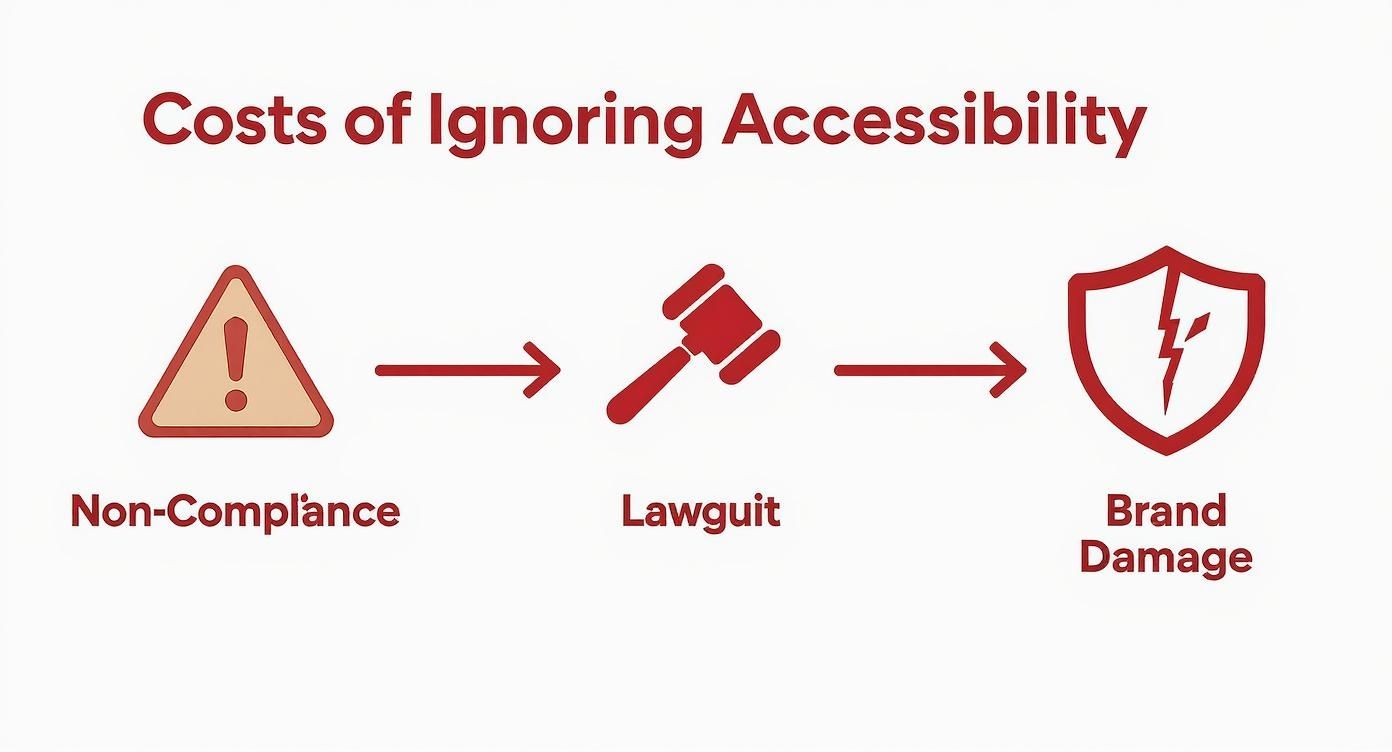
This just goes to show that ignoring accessibility isn't a static problem. It’s a chain reaction where the legal and reputational fallout gets worse over time.
Conduct a Thorough Accessibility Audit
The first, most critical step is a comprehensive accessibility audit. This is way more than just running an automated tool. While scanners are great for catching low-hanging fruit like missing alt text or basic color contrast problems, they can only spot about 30% of all WCAG issues.
A real audit mixes technology with human expertise:
- Automated Scanning: Use tools to crawl your whole site and flag widespread, code-based errors fast.
- Manual Testing: Have an expert actually use your site. They'll test unique page templates, complex flows (like your checkout process), and any interactive features.
- Assistive Technology Testing: This is the ultimate real-world test. An auditor will use screen readers and other tools to experience your site exactly like a user with a disability would.
This three-pronged approach gives you the full picture, showing you not just what’s technically broken but how those issues actually affect real people.
Prioritize and Remediate Issues
After your audit, you’ll probably have a long to-do list. Trying to fix everything at once is a sure-fire way to get overwhelmed. You need to prioritize.
The goal is to focus on fixes that deliver the greatest impact first. Prioritize based on severity—how much an issue blocks access—and how frequently users will encounter it.
For instance, a broken checkout button on your main product page is a much bigger deal than a minor color contrast issue on a blog post that nobody reads. Group similar issues together (like "fix all missing form labels") to create efficient batches of work for your development team. This strategy ensures you’re always chipping away at the most critical barriers first.
Train Your Team and Integrate Accessibility
Fixing past mistakes is only half the battle; you also need to prevent new ones. Everyone on your team—from designers and developers to content writers and marketers—needs to understand their role in keeping the site accessible.
Invest in training that’s tailored to each role. A developer needs to know how to write accessible code. A content creator needs to understand how to write good alt text and use headings correctly. This knowledge is what turns accessibility from an afterthought into a natural part of your daily workflow.
Plus, a well-structured, accessible site is simply a better experience for all users. It can even help with things like voice search, which relies on clear content structures to work. You can optimize your website for voice search by applying many of these same principles.
Publish an Accessibility Statement
Finally, be open about your commitment. An accessibility statement is a public page on your website that tells your audience what you're doing to be inclusive.
Your statement should include a few key things:
- Your target conformance level (e.g., WCAG 2.1 Level AA).
- The steps you’ve already taken and what you're working on now.
- Any known issues that you're in the process of fixing.
- A clear way for users to contact you if they run into a problem.
This statement does more than just cover your bases—it builds trust. It shows you take inclusivity seriously and provides a valuable feedback loop, turning your users into partners on your accessibility journey.
Common Questions We Hear About WCAG
As you start digging into web accessibility, a few questions always seem to pop up. It's easy to get tangled up in the different laws and guidelines, but don't worry—the answers are usually pretty straightforward. Let's tackle some of the most common questions we get about WCAG compliance.
Getting these basics down will clear up the practical side of making your site work for everyone.
How Is WCAG Different From the ADA?
Here’s a simple way to think about it: The ADA is the law that says a public building needs a wheelchair ramp. WCAG provides the actual blueprints—the slope, the width, the handrails—for building that ramp correctly.
The Americans with Disabilities Act (ADA) is a major civil rights law that makes it illegal to discriminate based on disability. It was written before the internet was a big deal, so it doesn't mention websites. However, courts and the Department of Justice have consistently decided that websites count as "places of public accommodation," meaning they have to be accessible.
WCAG provides the "how-to" for the ADA's "what." It’s the technical standard everyone looks to for meeting their legal duties under the ADA. In short, it’s the unofficial rulebook for digital compliance.
Do I Need to Comply with WCAG 2.2 Immediately?
While WCAG 2.1 Level AA is still the benchmark you'll see in most legal cases, jumping on WCAG 2.2 is a really smart move. The good news is that version 2.2 is completely backward-compatible. That just means it includes everything from 2.1 and adds a few new guidelines.
These new criteria are designed for the way we use the web now, focusing heavily on mobile devices and making things easier for users with cognitive disabilities. By aiming for WCAG 2.2, you’re not just hitting the current standard; you're getting ahead of the game. It shows you're serious about inclusivity and puts you in a much better position as legal standards catch up.
Are Accessibility Overlays a Real Solution for Compliance?
You’ve probably seen them—widgets or plugins that promise to make your site compliant with one line of code. These "accessibility overlays" sound great, but they are widely slammed by accessibility experts and have even been named in lawsuits as being a poor fix. They simply don't replace fixing the accessibility issues baked into your site's code.
Here's why they just don't work:
- They're a Band-Aid, Not a Fix: Overlays try to patch problems from the outside, but they don’t repair the underlying code. The website itself is still broken for many assistive technologies.
- They Can Make Things Worse: Sometimes, these tools actually interfere with the assistive technology a person is already using, creating a more frustrating experience.
- They're a Legal Red Flag: Law firms that specialize in accessibility cases now see overlays as a sign of non-compliance. To them, it's an admission that a site has known issues that haven't been properly addressed.
True what is WCAG compliance is about doing the real work to find and fix accessibility barriers at their source. It's the only way to create a website that's genuinely usable for everyone.
At Site Igniters, we build websites that are inclusive, compliant, and ready to connect with every potential customer. We protect your business from legal risk by ensuring your digital presence meets ADA and WCAG standards from the ground up. Find out how we can make your website accessible for all at https://siteigniters.com.
Seth Sanders is the founder of Site Igniters, a digital marketing agency in El Dorado Hills, California.