
Digital marketing for local business: Driving Local Growth with Proven Tactics

Digital marketing for a local business is really just about using online tools—like search engines, social media, and local listings—to reach customers right in your neighborhood. Think of it as today's version of the phone book, the neighborhood flyer, and a word-of-mouth recommendation all rolled into one powerful package. It’s all about making your business pop up for the people who are most likely to walk through your front door.
- Local SEO and Google Business Profile optimization are the foundation of digital marketing for local businesses.
- Paid local ads and social media reviews build immediate trust and drive foot traffic.
- Follow a structured 90-day action plan to launch and measure your local digital marketing efforts.
Why Digital Marketing Is a Game Changer for Local Businesses
Imagine your shop is a hidden gem with amazing products, but it’s tucked away on a quiet side street. Years ago, a sign out front or a small ad in the local paper might have been enough. Today, that's not the case. Your customer’s journey almost always starts on their phone.
This is the huge shift that makes digital marketing for local business an absolute must-have, not just a nice-to-have.
The days of people passively stumbling upon your business are fading fast. When someone needs a plumber, is looking for the best coffee nearby, or wants a haircut, their first move is to grab their phone and search. If your business isn't showing up in those crucial moments, you're pretty much invisible to a massive chunk of your potential customers.
Connecting Where Customers Are Actually Looking
The real power of digital marketing is its ability to put your business right in front of motivated customers at the exact moment they're looking. It’s not about shouting your message into a void and hoping someone hears. It’s about being the helpful, immediate answer when someone in your own neighborhood asks a question online.
This simple idea turns your marketing from an annoying interruption into a genuinely useful service.
Your customers are already searching for the services you offer. The whole point of local digital marketing is to make sure they find you instead of the other guys.
This approach completely levels the playing field. A small, family-owned bakery now has a real shot at competing with a giant grocery chain for valuable local searches like "birthday cakes near me."
Turning Clicks into Foot Traffic
For most local businesses, the end goal is simple: get more people to come in. Digital marketing creates a clear, measurable path from an online search to an in-person visit. Every single piece of a solid local strategy is designed to build that bridge.
Here are the key benefits you’ll see:
- Increased Visibility: Showing up in local search results and on maps puts your business on the radar of people who have never heard of you.
- Targeted Reach: You can focus your budget on reaching people within specific zip codes or just a few miles from your store. No more wasted ad dollars.
- Building Trust and Credibility: Good online reviews, an up-to-date website, and an active social media feed all build a customer's confidence before they even think about contacting you.
- Measurable Results: Unlike that old newspaper ad, you can actually track how many people saw your listing, clicked for directions, or called your business straight from a search.
This guide will walk you through all of it, breaking down these concepts into practical, easy-to-follow steps. We’ll show you how to use these powerful tools to turn online searches into loyal, local customers who keep coming back.
Mastering Your Digital Storefront With Local SEO
Your website might be your online home, but for most local customers, their first impression of you happens somewhere else entirely. That first handshake happens right on Google Search, Google Maps, and a handful of other local directories. This is your digital storefront, and mastering Local SEO is how you make sure it looks fantastic.
Think of Google as the world’s smartest, most powerful phone book. When someone types in "plumber near me" or "best tacos in Sacramento," Google’s entire job is to serve up the most helpful, trustworthy answer. Your job is to convince Google that you are that answer.
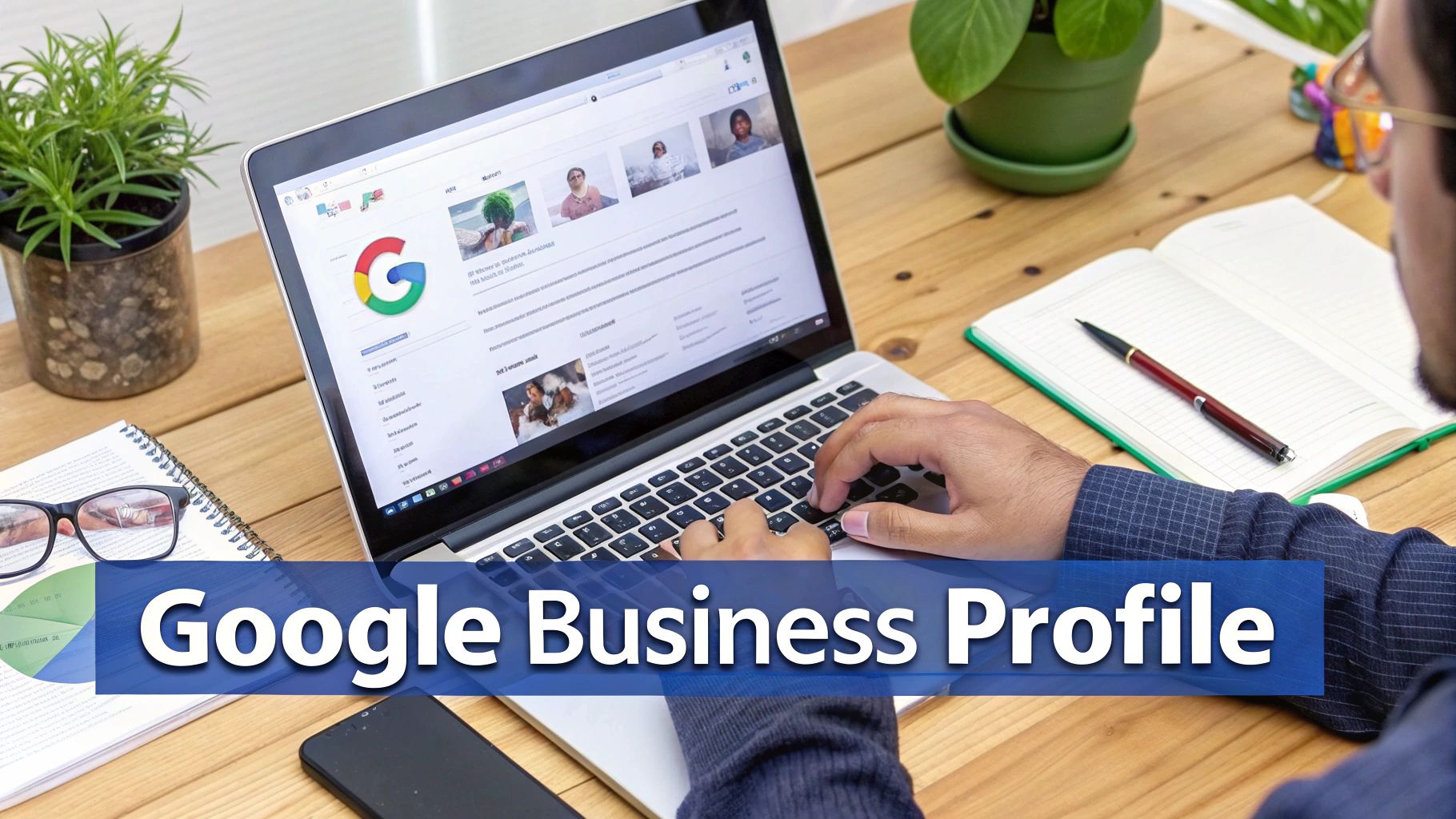
It all starts with the single most important tool in your local marketing arsenal: your Google Business Profile (GBP).
Your Google Business Profile Is Everything
That little information box that pops up on the right side of Google or at the top of Maps when you search for a business? That's the Google Business Profile. It's not just a simple listing with your address and phone number—it’s your primary local marketing hub.
Ignoring your GBP is like having a secret phone number or putting a "Closed" sign on your door 24/7. On the flip side, a fully optimized profile works like a tireless salesperson, actively pulling in customers who are literally searching for what you sell, right now.
The intent behind these searches is sky-high. Studies consistently show that around 88% of mobile users who look up a local business will either call or visit a store within 24 hours. A well-managed GBP can easily drive hundreds of customer actions every month, pushing traffic to both your website and your front door.
How To Optimize Your Google Business Profile
Just claiming your profile isn’t enough. The real results come when you treat it like a living, breathing part of your business. For a step-by-step guide, you can dig deeper into how to optimize your Google Business Profile.
To get you started, here's a quick checklist of the non-negotiables:
- Complete Every Single Section: Don't leave fields blank. Add your services, fill out attributes (like "women-owned" or "outdoor seating"), and choose the most accurate business categories.
- Upload High-Quality Photos and Videos: Show off your products, your storefront, and your awesome team. Profiles with plenty of photos get way more clicks, calls, and requests for directions.
- Turn On Messaging and Manage Q&As: Let customers message you right from your profile. It’s also smart to proactively answer common questions in the Q&A section so people get instant help.
- Create Regular Google Posts: Think of these as free mini-ads. Use Google Posts to share promotions, announce events, or highlight new products right on your profile.
Think of your GBP as a dynamic profile, not a static listing. The more active you are—adding photos, creating posts, answering questions—the more Google sees your business as relevant and rewards you with better visibility.
To make this crystal clear, here’s a breakdown of what to focus on.
Google Business Profile Optimization Checklist
This checklist covers the key areas you need to dial in to get the most out of your profile and climb the local search rankings.
| Optimization Area | Action Item | Impact on Ranking |
|---|---|---|
| Core Information | Ensure Name, Address, Phone (NAP), and website are 100% accurate and consistent. | High |
| Categories | Select a precise primary category and relevant secondary categories. | High |
| Business Description | Write a compelling, keyword-rich description of what your business offers. | Medium |
| Photos & Videos | Regularly upload high-quality images of your location, team, and products/services. | Medium |
| Customer Reviews | Encourage new reviews and respond to both positive and negative feedback promptly. | High |
| Google Posts | Publish weekly posts about offers, events, or updates to show business activity. | Medium |
| Q&A Section | Proactively ask and answer common customer questions to provide helpful info. | Low |
| Services/Products | Add a detailed list of your services or products with descriptions and prices. | Medium |
| Messaging Feature | Enable messaging and respond to inquiries quickly to improve engagement. | Low |
Tackling these items systematically will send powerful signals to Google that your business is active, reliable, and deserves to be shown to local searchers.
Beyond Google: Your On-Page And Off-Page Signals
While your GBP is the cornerstone, real local SEO dominance comes from a more holistic approach. Google also looks at your own website and your footprint across the web to confirm you are who you say you are.
This comes down to two things: on-page SEO and off-page citations.
Fine-Tuning Your Website For Local Search
Your website needs to shout to search engines exactly where you operate and what you do. This is what we call on-page SEO.
- Use Local Keywords: Weave your city or neighborhood naturally into your website’s title tags, meta descriptions, and page content. For example, change "Expert Plumbing Services" to "Expert Plumbing Services in El Dorado Hills."
- Create Location-Specific Pages: If you serve multiple towns, create a dedicated page on your site for each one. This helps you show up for searches specific to those neighborhoods.
- Embed a Google Map: Adding an interactive Google Map of your business location to your contact page is a simple but incredibly powerful signal to Google.
Building Trust With Consistent Citations
Finally, Google gains confidence in your business when it sees your information listed consistently all over the web. These listings are called citations, and they are mentions of your business's Name, Address, and Phone number (NAP).
You'll want to get listed in places like:
- Industry-specific directories (like TripAdvisor for restaurants)
- Your local chamber of commerce website
- Data aggregators like Yelp and Apple Maps
The most important rule here is NAP consistency. An incorrect phone number or a misspelled street name on a major directory confuses search engines and can drag your rankings down. Make it a habit to audit your listings to ensure they are identical everywhere.
Targeting Your Neighbors with Local Paid Ads
If Local SEO is like planting an oak tree that grows strong over time, then local paid advertising is the express elevator straight to the top floor. It gets you immediate visibility, letting you jump to the front of the line and reach customers who are ready to buy right now.
This is a critical piece of any solid digital marketing for local business strategy because it perfectly complements the slower, foundational work of SEO. Think of it as putting up a bright, flashing neon sign in the exact digital neighborhood where your ideal customers are hanging out.
Why Pay for Ads When SEO Is "Free"?
The big difference comes down to speed and precision. SEO builds organic trust and authority, which is priceless but takes a good amount of time. Paid ads, on the other hand, deliver instant results and give you incredible control over who sees your message, when they see it, and exactly where they are.
For a local business, this control is everything. You can target users within specific zip codes, a few blocks around your storefront, or even people just passing through town. This hyper-local approach means you’re spending your money reaching people who can actually walk through your door today.
Getting Started with Local Google Ads
For most local businesses, Google Ads is the most powerful place to start. When someone searches for "emergency plumber in Sacramento" or "best brunch near me," they have an immediate, pressing need. A well-placed ad puts your business at the very top of those results, capturing that high-intent customer before they even have a chance to scroll.
Here’s a simple way to approach it:
- Focus on Local Intent Keywords: Don't just bid on a generic term like "plumber." Go for "plumber in El Dorado Hills," "24/7 plumbing repair Sacramento," or "leaky faucet fix near me." These phrases signal that a user is looking for local help right away.
- Master Location Targeting (Geofencing): This is your superpower. In Google Ads, you can literally draw a virtual circle around your business—say, a 5-mile radius—and only show your ads to people inside that zone. This prevents you from wasting money on clicks from people too far away to ever become a customer.
- Track What Really Matters: Clicks to your website are nice, but what you really want are actions that drive business. Track things like phone calls right from your ad ("click-to-call") and requests for driving directions to your shop. These are true local conversions.
Leveraging Local Social Media Ads
While Google Ads captures immediate demand, social media ads on platforms like Facebook and Instagram help you generate it. These platforms are perfect for connecting with your community, building brand awareness, and reaching people based on their interests and behaviors, not just what they're searching for.
Imagine you're a new yoga studio. You could run an ad on Instagram that targets users who live within three miles of your studio, are interested in wellness and fitness, and are between the ages of 25 and 55. That level of targeting is incredibly powerful for visual businesses.
Social media ads are less about the hard sell and more about building community. Use them to promote a local event, share a special offer just for your neighbors, or simply introduce your business to people who live right around the corner.
The combination of Google Ads and social ads creates a powerful one-two punch. For a deeper dive into how these paid search strategies work together, our guide on Search Engine Marketing (SEM) provides more detail.
Smart Budgeting for Local Campaigns
The idea of paying for ads can feel intimidating, but you don't need a massive budget to get started. The best approach is to start small, test everything, and learn as you go.
- Set a Small Daily Budget: Start with an amount you're comfortable with, even if it's just $10 or $20 per day.
- Run a Test Campaign: Pick one specific service or offer you want to promote.
- Analyze the Results: After a week or two, look at the data. Which ads got the most calls? Which keywords brought in the most valuable traffic?
- Double Down on What Works: Pause the ads that aren't performing and shift that small budget over to the ones that are.
This simple, iterative process removes the guesswork and makes sure your ad spend is always working for you. The importance of mobile optimization here cannot be overstated. With 61% of mobile users more likely to contact a local business if it has a mobile-friendly site, mobile-focused ads are a critical, measurable way to drive immediate store visits. You can discover more insights about mobile marketing impact on The Loop Marketing. This makes paid local advertising a direct and effective tool for boosting your bottom line.
Building Community and Trust Through Social Media and Reviews

Getting found online is one thing, but building a real connection with the people in your community is something else entirely. It’s about more than just search rankings and ad clicks. Social media and online reviews are where you get to build those genuine human relationships that turn a first-time customer into a lifelong fan.
Forget about trying to go viral. For a local business, that's a distraction. What really matters is authentic engagement—being a friendly, reliable, and active part of your neighborhood's daily life, just online.
Weaving Your Business Into the Community Fabric
Think of your social media pages as an extension of your actual storefront. They should feel just as welcoming, interesting, and personal. The mission here is to share things that hit home with your local audience, making them feel like they truly know the people behind the counter.
It's less about hard-selling and more about storytelling. Your feed should be a comfortable mix of useful tips, community shout-outs, and a peek behind the scenes.
Here are a few content ideas that work like a charm:
- Go Behind the Scenes: Post a quick video of your team getting the shop ready for the day or a photo of a new product arriving. This kind of transparency builds an incredible amount of trust.
- Spotlight Your Team: Feature your employees with a short bio and a fun fact. When customers can put a name to a face, every interaction feels more personal.
- Partner with Other Locals: Why not team up with a non-competing business down the street for a joint giveaway? Cross-promoting shows you're invested in the entire community, not just your own bottom line.
- Share User-Generated Content: If a customer posts a great photo from your business, ask if you can share it! It’s the best kind of social proof and a great way to show you appreciate them.
The best local social media strategy isn't about having the most followers. It's about having the most engaged followers—the ones who feel a real connection to your business and would recommend you to a friend without hesitation.
Your Digital Reputation Is Your Modern Word-of-Mouth
Way before the internet, a good reputation was built one conversation at a time. Today, those conversations are happening 24/7 on sites like Google and Yelp. Online reviews have become the single most powerful form of modern word-of-mouth.
A steady stream of positive reviews tells both potential customers and search engines that you're a business people can trust. Managing this feedback is no longer a "nice-to-have"—it's a core part of local marketing.
Strategies for Effective Review Management
Getting more reviews is often as simple as just asking. Most happy customers are more than willing to leave feedback; they just need a little nudge.
- Ask at the Right Time: The perfect moment is right after a positive experience, like when a customer compliments your service or you've just wrapped up a successful project for them.
- Make It Easy: Don't make them hunt for it. Send a direct link to your Google Business Profile via text or email. A QR code on a receipt or business card works wonders, too. The fewer clicks, the better.
- Respond to Every Review: Thank every single person who leaves a positive review. For the negative ones, respond quickly and professionally. A public response that addresses the issue shows everyone that you care and are committed to making things right. You can often turn a critic into a loyal customer this way.
Effectively managing your online reputation takes time and skill. For those who want to really master this, our guide on review management dives into more advanced strategies for building and protecting that digital trust. And remember, your best reviews can be turned into powerful marketing content for your website and social media, creating a cycle of trust that keeps new customers walking through the door.
Protecting Your Business with Digital Accessibility
Beyond just bringing in new customers, a huge piece of your local digital marketing puzzle is making sure everyone can actually use your online storefront.
Think about it this way: your physical shop probably has a ramp or wide doorways to welcome customers with mobility issues. Digital accessibility is just the online version of that ramp, making sure your website works for people with disabilities.
This isn't just a nice-to-have; it's a must-do for any serious business. Over 25% of adults in the U.S. live with some kind of disability. That's a huge slice of your local customer base. If your site isn't accessible, you're literally turning away neighbors who want to give you their money, and that hits your bottom line directly.
Why Accessibility Is a Non-Negotiable
Failing to make your website accessible doesn't just lose you sales—it opens you up to some serious legal headaches. Lawsuits related to the Americans with Disabilities Act (ADA) are on the rise, and they're increasingly targeting websites that are impossible for people using assistive tech to navigate. These lawsuits are expensive, a huge time suck, and can really tarnish your good name in the community.
An accessible website is more than a legal shield; it's a powerful statement about your company's values. It tells your entire community that you are inclusive and believe everyone deserves equal access to your services.
But making your site accessible isn't only about dodging legal trouble. It also gives your SEO a nice little boost. A lot of the best practices for accessibility, like a clean site structure and descriptive text for images, are the exact same signals Google looks for to understand and rank your site. It’s a true win-win for both your users and your search rankings.
Common Accessibility Issues to Spot
You don't need to be a developer to catch some of the most common accessibility roadblocks. Just spending a few minutes clicking around your own website can reveal glaring issues that are putting up walls for potential customers.
Here's a quick, non-technical checklist to get you started:
- Missing Image Descriptions (Alt Text): Do your images have descriptions that a screen reader can announce to a visually impaired user? If that picture of your "hand-tossed pepperoni pizza" has no description, it’s completely invisible to them.
- Poor Color Contrast: Can you easily read the text on your site? That trendy light gray text on a white background might look cool, but it can be impossible for users with low vision to read.
- Vague Link Text: Ditch generic link text like "click here" or "learn more." A screen reader needs descriptive text, like "View our full catering menu," to give the user real context about where the link goes.
- Unclear Video Content: If you're using videos to show off your products, do they have captions? To make sure all your digital content is inclusive, check out this complete guide to understanding closed captions and accessibility.
- Keyboard Navigation Issues: Try navigating your entire site using only the "Tab" key. Can you get to everything? Many users with motor disabilities rely entirely on their keyboard instead of a mouse.
Fixing these basic issues is a massive step toward creating a digital presence that’s more welcoming and legally sound. It protects your business, grows your audience, and solidifies your reputation as a business that cares about everyone in the community.
Your First 90 Days: A Digital Marketing Action Plan
All the strategy in the world doesn't mean a thing until you put it into action. This is where the rubber meets the road.
I've put together a straightforward 90-day roadmap that turns everything we've talked about into a simple, week-by-week plan. It's built to create momentum, starting with the must-haves before layering on the growth tactics. This structured approach to digital marketing for local business takes the guesswork out of the equation.
Follow these steps, and you'll be well on your way to building a digital presence that actually starts to deliver.
Month 1: The Foundation (Days 1-30)
Your first 30 days are all about building a solid base. Think of it like prepping a room before you paint—you can't just slap color on the walls and expect a good result. You need to clean things up first. This is the essential prep work that makes every future effort more powerful.
- Week 1-2: Claim and completely fill out your Google Business Profile. And I mean completely. Fill out every single section, upload at least 10 high-quality photos, and write a business description that really sells what you do.
- Week 3: Conduct a NAP (Name, Address, Phone) audit. Your job here is to hunt down your business info on major directories like Yelp and Apple Maps and make sure it's 100% consistent. No exceptions.
- Week 4: Set up or clean up your main social media account. Just start with one—don't overwhelm yourself. Whether it's Facebook or Instagram, get it looking professional and map out a few post ideas for the next month.
Month 2: Driving Growth (Days 31-60)
With your foundation firmly in place, it's time to open the doors and actively invite people in. This month is about getting your business in front of fresh local eyes and building up your reputation with some good old-fashioned social proof.
The goal here is not to be perfect but to start learning. Your first ad campaign will provide valuable data on what messaging resonates with your local audience, which you can use to refine future efforts.
- Launch a Small Local Ad Campaign: You don't need a huge budget. Start with $10-$15 per day on a Google Ad that targets your main service and your specific town or neighborhood. Set it up to drive phone calls or requests for directions.
- Implement a Review Generation System: This is huge. Start actively asking your happy customers for reviews. You can create a simple handout with a QR code or just send a follow-up email with a direct link to your GBP review page. Make it easy for them.
- Post Consistently on Social Media: Aim for 2-3 posts a week. People love seeing what goes on behind the curtain, so share some behind-the-scenes content, customer testimonials, or helpful tips related to your industry.
Month 3: Analysis and Optimization (Days 61-90)
The last month of this initial push is all about learning and refining. You now have real-world data trickling in from your ads, your profile, and your social posts. That data is gold—it’s the key to making smarter decisions and getting a better return on your time and money.
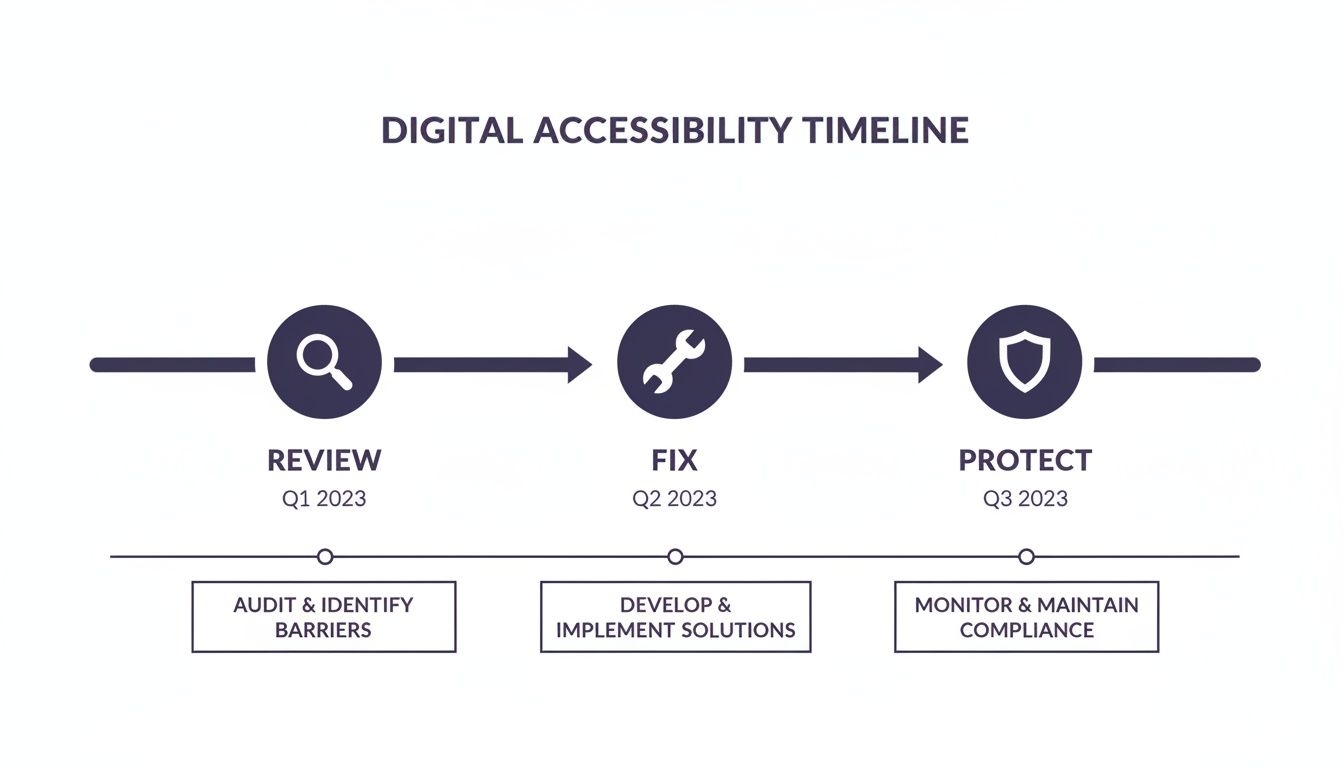
This process mirrors your marketing plan perfectly. First, you assess what's working (review), then you adjust your strategy (fix), and finally, you establish good habits to maintain that success (protect).
- Analyze Ad Performance: Dive into your Google Ads data. Which keywords actually made the phone ring? Double down on what works and don't be afraid to pause what's just eating up your budget.
- Respond to All Reviews: Make this a non-negotiable habit. Reply to every single new review—good or bad—within 48 hours. It shows you're engaged and that you care.
- Plan Your Next Quarter: Look back at what you’ve learned. What worked? What didn't? Use those insights to outline your content and promotional focus for the next 90 days. Continuous improvement is how you win in the long run.
Answering Your Top Questions
Getting into digital marketing often brings up a few key questions for local business owners. Let's tackle the most common ones head-on so you can move forward with a clear plan.
How Much Should I Budget for Digital Marketing?
There’s no magic number here, and the good news is you don’t need a massive budget to see results. A smart way to begin is with a small, testable amount for local paid ads—think $10 to $20 per day.
For things like SEO and content, your biggest investment is your own time. Start with the free, high-impact stuff, like getting your Google Business Profile completely dialed in. As you start to see a return from these initial efforts, you can strategically reinvest some of that profit back into bigger campaigns. The key is to start small, see what works, and then scale up.
How Much Time Does This Actually Take?
At the very beginning, you should probably set aside a few hours to get your main profiles set up correctly. After that, it's all about consistency, not intensity. You can make a real difference by carving out just 30 to 60 minutes a day for your local marketing tasks.
The most successful local marketers I've seen aren't glued to their screens all day. They build efficient habits: a few minutes to check reviews, schedule some social media posts, and glance at their ad performance. A little bit of focused work each day really adds up.
You can easily break this down into smaller, manageable chunks that fit into your week.
I'm Not a Tech Expert. Where Should I Even Start?
If you only do one thing from this entire guide, make it this: focus on your Google Business Profile (GBP). It is, without a doubt, the most powerful free tool you have for local visibility, and you don't need any special tech skills to manage it.
Here’s the simplest path to get going:
- Google Business Profile: First, claim your profile. Then, fill out every single section. This is your digital storefront.
- Encourage Reviews: Make it a habit to ask your happy customers to leave you a review on Google.
- Pick One Social Platform: Don't try to be everywhere at once. Choose the one platform where your customers hang out the most (like Facebook or Instagram) and just focus on posting a couple of times a week.
Nailing these three things will build an incredibly strong foundation. You can see significant growth by just mastering these basics before you even think about more complex strategies.
Ready to stop guessing and start growing? The team at Site Igniters specializes in creating practical, results-driven digital marketing strategies for local businesses just like yours. We combine proven SEO tactics with targeted advertising to connect you with more customers in the Sacramento area. Let us build a plan that fits your budget and drives real growth. Learn more about our approach at https://siteigniters.com.
Seth Sanders is the founder of Site Igniters, a digital marketing agency in El Dorado Hills, California.