
Website Migration SEO Impact A Guide To Protecting Your Rankings


A website migration is one of the most nerve-wracking moments you can face with your digital presence. The website migration SEO impact can be absolutely massive. Get it wrong, and you could see years of hard work evaporate overnight, with traffic and rankings tanking. But when you handle it strategically, a migration can be a golden opportunity for growth.
- Website migrations can cause significant SEO traffic loss if 301 redirects, canonical tags, and sitemaps are not handled correctly.
- Create a comprehensive redirect map and pre-migration benchmark of all rankings, traffic, and indexed URLs before making changes.
- Monitor Google Search Console closely for 30-60 days post-migration to catch and fix indexing issues quickly.
The Real Stakes Of A Website Migration
Let's be clear: a website migration isn't just a technical refresh. It's a high-stakes project that completely changes how search engines see your site. Think of it this way: Google has a detailed map of your website, and a migration is like asking them to toss that map and learn a brand-new one from scratch.
Without a bulletproof plan, this process can go sideways in a hurry. You end up with broken links that frustrate users, lost redirects that make valuable backlinks disappear, and technical glitches that render entire sections of your site invisible to Google.
The consequences are very real. I'm talking about sudden drops in organic traffic, losing your top keyword rankings, and a direct hit to your bottom line. We’ve seen studies and real-world cases where botched migrations slash organic traffic by 50% or more. For some businesses, that's a blow they never recover from.
From Risk To Reward
But it doesn't have to be a horror story. A migration is also your chance to clean house. You can finally fix those lingering SEO issues, streamline your site architecture, and dramatically improve the user experience—all things that search engines absolutely love. By treating this as a strategic project, not just an IT chore, you can flip the script from risk to reward.
This flow chart really nails the journey—it's all about moving from a high-risk technical change to a measurable win for the business.
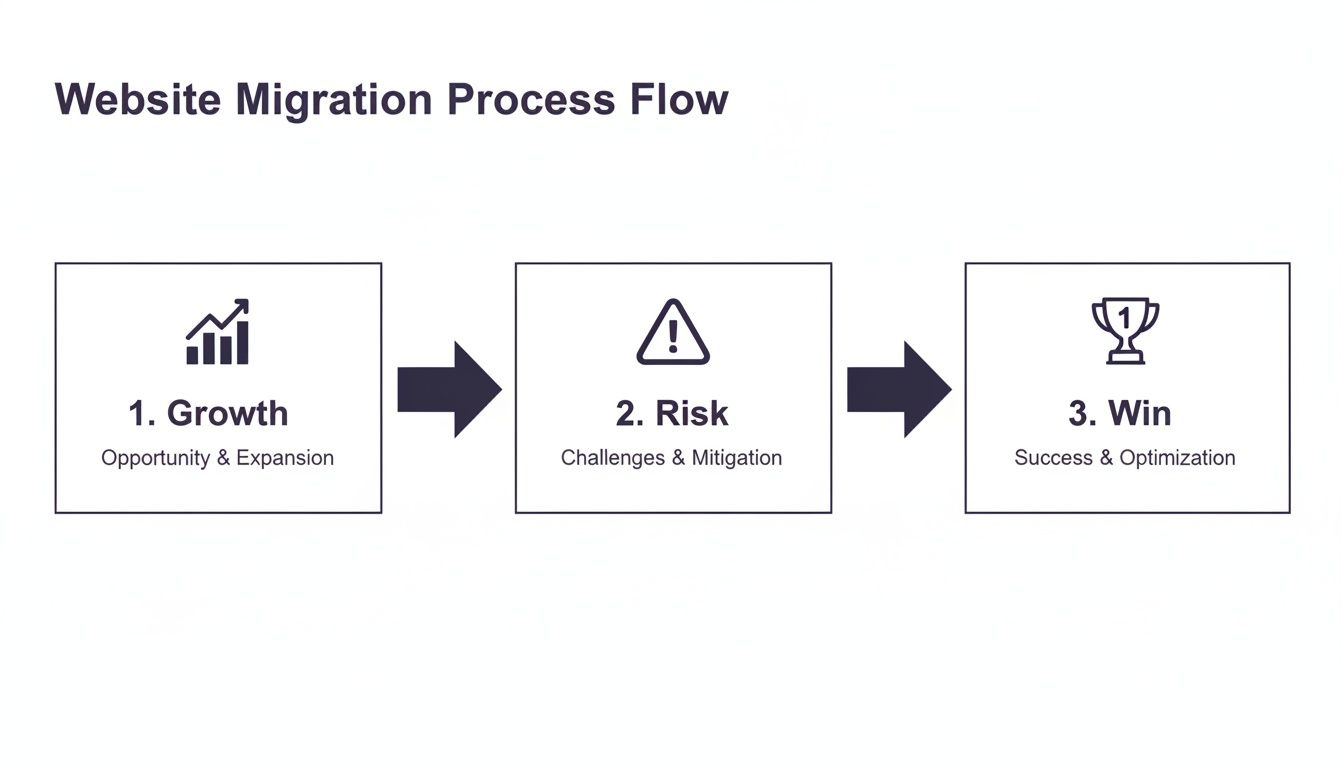
This visual shows that a successful migration isn't about luck; it's a deliberate process. When done right, it can solidify your digital authority and pave the way for future growth.
A well-executed migration doesn't just protect your existing SEO equity; it can actually boost it, leading to better rankings and a stronger competitive edge. The secret is in the planning and execution.
That's what this guide is all about—giving you that blueprint. We'll walk through every critical phase, from pre-launch audits to post-launch monitoring, to make sure your project is a massive success. If you want to brush up on the basics first, getting a solid handle on the core principles of search engine optimization (SEO) is a fantastic place to start. Understanding the fundamentals will give you a much deeper appreciation for what it takes to protect your site during such a critical transition.
Your Pre-Migration SEO Blueprint

A successful migration is won long before you ever push the "go-live" button. This planning phase is where you lay the groundwork to prevent the catastrophic website migration SEO impact so many businesses dread. Skipping this part is like building a house without a blueprint—it's a gamble you simply can't afford to take.
Your very first move should be to create a complete inventory of every single asset on your current website. I’m not just talking about your main service pages. This means documenting every URL, from blog posts and landing pages to those obscure PDF downloads that might have surprisingly valuable backlinks pointing to them.
This comprehensive list becomes the backbone of your entire migration strategy.
Crawl and Document Everything
To build this inventory, you need to run a full site crawl. Using a tool like Screaming Frog or Semrush, you can systematically spider your entire site, seeing it just as a search engine would. This process uncovers every single page, both indexable and non-indexable.
The goal here is to export a master spreadsheet packed with crucial data for each URL. You'll want to include:
- URL: The full address of the page.
- Meta Title & Description: The current metadata that shows up in search results.
- H1 & H2 Tags: Your primary headings that give the content structure.
- Canonical URL: The declared "master" version of the page.
- Word Count: A simple but useful metric for content depth.
This document is now your single source of truth. It’s the definitive record of what you have, making sure absolutely nothing gets forgotten or left behind in the move.
Establish Your Performance Baseline
With your asset list complete, the next logical step is to benchmark your current performance. Think about it: you can't measure the success of a migration if you don't know where you started. This baseline gives you the hard data you'll need to diagnose any post-launch issues and ultimately prove the project's ROI.
Before you even think about the migration blueprint, it's essential to conduct a thorough website audit. This helps you understand your current SEO health and spot any existing problems that need fixing.
Make sure you gather data on these core metrics for the last 3, 6, and 12 months:
- Organic Traffic: Total non-paid visits coming from search engines.
- Keyword Rankings: Track your top 50-100 most valuable keywords and where they currently sit.
- Conversion Rates: Document how well your organic traffic turns into leads or sales.
- Indexed Pages: Hop into Google Search Console and note the number of pages Google has in its index.
Having this historical data provides crucial context. It’ll help you distinguish a normal seasonal dip from a genuine, migration-related disaster.
A detailed performance baseline is your early warning system. Without it, you’re flying blind post-launch, unable to tell if a traffic drop is a minor blip or the beginning of a major SEO disaster.
To keep this organized, I recommend putting the data into a clear checklist. This ensures every team member understands what needs to be tracked.
Pre-Migration SEO Audit Checklist
Here’s a look at the key data points you should be collecting to benchmark performance before your website migration kicks off.
| Audit Area | Key Action | Tool Suggestion | Why It Matters |
|---|---|---|---|
| URL Inventory | Crawl the entire site to get a complete list of all current URLs. | Screaming Frog, Sitebulb | Prevents "orphan" pages and ensures every page is accounted for in the redirect plan. |
| Organic Traffic | Record monthly organic sessions and users for the past 12 months. | Google Analytics, Matomo | Establishes a clear baseline to measure post-launch traffic changes against. |
| Keyword Rankings | Track rankings for top 50-100 commercial and informational keywords. | Semrush, Ahrefs, SE Ranking | Helps you quickly spot if high-value keywords have dropped after the migration. |
| Backlink Profile | Export a full list of backlinks, paying attention to the most linked-to pages. | Ahrefs, Moz, Majestic | Identifies your most authoritative pages so you can protect their link equity. |
| Indexed Pages | Check the "Pages" report in Google Search Console for total indexed URLs. | Google Search Console | A sudden drop in indexed pages post-migration is a major red flag for crawling issues. |
| Technical Health | Run a technical audit for errors (404s, broken links, redirect chains). | Screaming Frog, Semrush | Gives you a chance to clean up existing issues so you don't carry them over. |
This checklist isn't just a to-do list; it's your insurance policy against losing valuable SEO equity during the transition.
Identify and Prioritize High-Value Pages
Let's be honest: not all pages are created equal. Some of your pages drive a massive amount of traffic, leads, and revenue. Mismanaging these crown-jewel assets during a migration can have an immediate and severe negative impact on your bottom line.
Dive into your analytics and identify the pages that are true powerhouses in these areas:
- Top Traffic Drivers: Which URLs get the most organic search traffic?
- Highest Converting Pages: Which pages are generating the most leads or sales?
- Top Linked-To Pages: Which pages have attracted the best, most authoritative backlinks?
- Top Ranking Pages: Which pages are sitting pretty on page one of Google for your money keywords?
These high-priority pages demand white-glove treatment. They need to be mapped perfectly to their new homes, and their content and on-page SEO elements must be migrated flawlessly. During the discovery phase of any project, identifying these pages is a non-negotiable step. In fact, you can learn more about how agencies approach this by looking into a comprehensive SEO discovery process (https://siteigniters.com/seo-discovery-page/).
By isolating these pages, you can focus your resources where they’ll have the biggest impact, protecting the core drivers of your online success and ensuring a smooth transition.
Mastering Redirects And Content Mapping

If there's one place a website migration can completely fall apart, it's with redirects and content mapping. This is the technical heart of the entire project. Getting it wrong is the fastest way I've seen to absolutely demolish years of hard-earned traffic and authority.
Think of your site's authority like water flowing through a network of pipes. Every backlink and internal link is a pipe directing valuable "link equity" to your pages. Change a URL without a redirect, and you've just smashed that pipe. All that authority just spills out and evaporates.
Getting this right isn't just a technical chore; it's the strategic transfer of power from your old site to the new one.
The Unbreakable Rule of 301 Redirects
When a page is moving for good, the only tool for the job is a 301 redirect. This is a server-side instruction that tells search engines, "Hey, this page has moved permanently. All of its authority, rankings, and history now belong to this new URL over here."
It's a common mistake to use other types, like a 302 (temporary move), which doesn't pass along the same authority. This can leave all your SEO value stranded on the old site, even if users are getting to the new page just fine.
A complete and accurate 301 redirect map is non-negotiable. It's the single most critical document you will create during this entire process. Every single old URL must have a designated new home.
Even well-prepared companies can slip up. Back in 2019, the SaaS company White Fuse was hit with a shocking 50% drop in organic traffic after their migration. They thought they had followed all the rules, which just goes to show how even a small oversight can have devastating consequences.
Building Your Bulletproof Redirect Map
Creating the redirect map is a meticulous, detail-oriented job. You'll start with that complete URL inventory you pulled during your pre-migration audit. In a simple spreadsheet, create two columns: "Old URL" and "New URL."
Now for the hard part. For every single URL in that first column, you have to find its direct counterpart on the new site. This mapping needs to be one-to-one wherever possible.
-
Example 1: E-commerce Store Restructure
Let's say an e-commerce site is changing its URL structure from/mens-shoes-allto a cleaner/collections/mens/footwear. A simple one-to-one redirect is perfect. The user's intent and the page's content are identical. -
Example 2: B2B Service Merging Blogs
Imagine a B2B company is combining three older, thin blog posts about "lead generation tactics" into one monster new guide. In this case, you'd 301 redirect all three of those old URLs to the single new guide. This consolidates their authority into one much stronger asset.
But what if a page has no new equivalent? Whatever you do, never just redirect it to the homepage. That’s a lazy move that Google often treats as a "soft 404" error, meaning the link equity is lost anyway. A much better approach is to redirect it to the most relevant parent category page or a closely related article.
The Forgotten Step: Updating Internal Links
Once your redirect map is rock solid, there’s another crucial step that so many teams forget: updating all the internal links within your own content.
Sure, a 301 redirect will get the user and the search engine crawler to the right place eventually, but it’s not an efficient trip.
Every time a crawler follows a redirected internal link, it uses up a tiny bit of your site's "crawl budget." Multiply that across thousands of links, and you're creating unnecessary work for search engines and slightly diluting the authority being passed.
The fix is to "pre-update" every internal link in your content—blog posts, navigation menus, footers, everywhere—so they point directly to the final new URL. This creates a clean, direct path for both users and bots from day one. This process, often part of a detailed website discovery page analysis, makes sure your new site architecture is internally consistent and perfectly optimized for crawlers.
The Final Technical Launch Checklist

You've got your blueprint and a bulletproof redirect map, which means you're basically on the launchpad. This is where all that meticulous preparation really starts to pay off. The final hours before, during, and just after you go live are absolutely crucial for minimizing the negative website migration SEO impact.
Think of this as your pre-flight checklist. The goal is to make sure every switch is flipped and every system is green before you hit the big red button. A calm, methodical approach here is your best friend—it prevents the last-minute panic that always leads to expensive, avoidable mistakes. The trick is to verify everything in a controlled staging environment long before it ever sees the light of day on your live site.
Staging Environment Sanity Checks
Your staging site is your sandbox. It should be a perfect mirror of what the new site will be, letting you poke, prod, and test everything without any real-world consequences. This is your final chance to catch the little errors that can cause big headaches for users and search engines.
Here's what you need to verify with a fine-tooth comb:
- Redirect Validation: Crawl your master list of old URLs on the staging server. Every last one of them needs to return a clean 301 status code and land exactly where you want it to on the new site. Tools like Screaming Frog are indispensable here; they'll automate the process and flag any pesky 404s or redirect chains you missed.
- Canonical Tag Accuracy: Double-check that every page has a self-referencing canonical tag pointing to the new URL, not the old one. This is such a common oversight and can create massive duplicate content problems right out of the gate.
- Structured Data and Hreflang: Using schema markup or hreflang tags for your international audience? Go through them and confirm every single URL has been updated to reflect the new domain and site structure.
- Internal Link Check: Fire up one last crawl of the staging site, but this time, you're hunting for any internal links that still point to the old domain. Every link needs to be updated to point directly to its new home.
This is also the moment to check for one of the most devastating—and shockingly common—launch day blunders.
I've seen it happen more than once: a leftover 'noindex' tag from the development phase makes it to the live site. It's the single fastest way to completely torpedo your SEO. You're literally telling Google to de-index your entire website. Always, always confirm this is gone before launch.
Launch Day Execution
The moment is here. Launch day isn't about scrambling to make last-minute fixes; it's about calmly executing a plan you've already rehearsed. The entire goal is to make the switch feel seamless for everyone, including the search engine bots.
As soon as the new site is live, your team's focus needs to shift immediately to a few critical tasks. These steps are your way of raising a flag for Google, letting it know a major change has happened and prompting it to start the re-crawling process as fast as possible.
Your immediate launch-day to-do list should be short and sweet:
- Update Your Robots.txt File: Your staging site probably had a
Disallow: /rule to keep crawlers out. Make sure the new liverobots.txtfile allows access to all your important pages and includes a link to your new XML sitemap. - Publish the New XML Sitemap: Get the new sitemap, containing only the new URLs, live and accessible.
- Submit the Sitemap in Google Search Console: Go straight into Google Search Console and submit the new sitemap's URL. This is like sending a direct invitation for Googlebot to come have a look.
- Use the Change of Address Tool: If you're moving to a new domain, this step is non-negotiable. Use Google’s Change of Address tool inside Search Console. It’s an explicit signal that helps Google connect the dots between your old site's authority and your new one.
- Run a Final Live Crawl: Kick off one last, quick crawl of the live site. You're looking for any immediate 404s or server errors that might have popped up during the actual deployment.
Keeping this checklist tight and focused helps your team stay aligned during what can be a high-pressure moment. By working through these steps systematically, you ensure a clean handoff and give search engines everything they need to understand your new site structure.
Post-Launch Monitoring And Recovery Tactics
Pushing the new site live isn't the finish line—it's the starting gun. This is the most critical observation period of the entire project, where all your careful planning is put to the test. The first few days and weeks will show whether you've achieved a smooth transition or if you're in for a frantic scramble to plug leaks.
This whole phase is about vigilance. You absolutely need a structured plan to watch your key metrics like a hawk, ready to jump on any unexpected dips or errors before they spiral out of control. Think of yourself as a doctor in the recovery room, checking vitals and responding immediately to any sign of distress.
Your Daily And Weekly Monitoring Cadence
Discipline is everything right now. Don't just check stats when the mood strikes. A consistent schedule is the only way to ensure nothing important slips through the cracks. For the first two weeks, daily checks are non-negotiable. After that, you can ease into a less intense, but still regular, weekly review.
Here’s a practical schedule that works:
- Daily Checks (First 2 Weeks): Your morning routine should start with a quick but thorough look at Google Search Console (GSC) and Google Analytics (GA). You're hunting for major red flags—sudden traffic drops, a spike in 404s, or server connectivity problems.
- Weekly Deep Dives: Once a week, block out some real time to compare performance against your pre-migration benchmarks. Are your keyword rankings holding steady? How does this week's organic traffic compare to the same week last month? This is where you'll spot the slower, more subtle trends that daily checks might miss.
Right after launch, one of your top priorities is making sure search engines are actually finding and indexing your new content. To speed things up, you should utilize specialized website indexing tools to help accelerate the process and verify that your pages are visible as quickly as possible.
Diagnosing Common Post-Launch Problems
When you spot an issue, the next step is a quick diagnosis. Panic is your enemy; a methodical approach is your best friend. Most post-launch headaches fall into just a few common categories. Knowing what to look for can save you hours of stress.
One of the most dramatic examples of migration volatility comes from TransferWise. When they ambitiously migrated their domain to Wise.com in 2017, their organic traffic cratered, dropping from 32.3 million monthly visits to just 13 million—a staggering 60% drop. But through meticulous post-launch monitoring, they turned that disaster into a massive success, eventually soaring to 205 million visits. Their story perfectly illustrates the two sides of a migration: immense risk followed by huge opportunity when managed correctly.
Let's look at some common culprits you might run into.
Tracking Indexation And Crawl Errors
Your primary health dashboard is Google Search Console. Two reports, in particular, need your full attention:
- Index Coverage Report: This tells you how many of your new URLs Google is successfully indexing. You want to see the "Valid" page count steadily climbing while the count of old URLs drops off. If you see a surge in "Excluded" pages, dive in to find out why. Common culprits are
noindextags left by mistake or pages blocked by yourrobots.txtfile. - Crawl Stats Report: This gives you a direct look at Googlebot's activity. A healthy report shows a high number of crawl requests per day and a low average response time. If crawl requests plummet or response times skyrocket, it could signal a server-side issue that needs your dev team's immediate attention.
A sudden, unexplained drop in your index count is one of the most serious red flags you can see post-migration. It's a clear signal that Google is having trouble accessing or understanding your new site, and it requires immediate investigation.
Identifying Redirect Issues
Even with the most careful mapping, redirect problems can pop up after launch. Redirect chains (URL A goes to B, which goes to C) and loops (URL A goes to B, which goes back to A) are notorious for confusing crawlers and torching your crawl budget.
Fire up a tool like Screaming Frog and run a fresh crawl of your old URL list. The tool will follow every redirect and flag anything that doesn't end with a clean 200 (OK) or 301 (Permanent Redirect) status code. If it finds chains or loops, export that list and get them fixed by pointing the original URL directly to the final destination.
It’s a simple but powerful cleanup task that ensures link equity flows exactly where it's supposed to. Staying on top of these details is how you turn potential disasters into quick fixes and steer your site toward a strong recovery.
Common Questions About Website Migrations And SEO
Even when you've got a rock-solid plan, a website migration can feel like a step into the unknown. The potential website migration SEO impact is a huge source of anxiety, sparking valid questions from stakeholders, your marketing team, and developers.
Let's clear the air and tackle some of the most frequent concerns. Getting these answers straight helps demystify the process and sets clear, realistic expectations for everyone involved.
How Long Does SEO Take To Recover After A Migration?
I wish there was a magic number, but the truth is, SEO recovery time really depends on the size and precision of your migration. For a simple project that's handled well—say, a redesign on the same domain—you might see rankings and traffic find their new normal within just a few weeks. A little bit of fluctuation is completely normal during this period.
But for the big, complex jobs like a full domain change or a massive content overhaul, the recovery window gets longer. You have to give search engines time to re-crawl every single new page, process all those redirects, and figure out your site's authority all over again.
You should realistically budget for a volatile period of 4 to 12 weeks where your metrics are going to be all over the place.
The fastest way to shrink that recovery window? Get aggressive with your monitoring. You need to live inside Google Search Console, hunting down and fixing crawl errors, and making absolutely sure your new sitemap is being processed. This hands-on approach directly speeds things up.
Should We Migrate The Entire Site At Once Or In Phases?
For the vast majority of businesses, a single, all-in-one migration is the way to go. It’s cleaner, more efficient, and much easier to manage, especially if it has been meticulously planned.
This "rip the band-aid off" approach means you consolidate all the risk and intense monitoring into one defined period.
A phased migration, where you move the site piece by piece, is usually only reserved for gigantic, enterprise-level websites with millions of pages. While it can isolate risk to smaller sections, it creates a mountain of technical complexity. You end up juggling parallel systems, incredibly complicated redirect rules, and potential user confusion, which often creates more headaches than it solves.
- Single Migration: More straightforward and easier to manage, with a concentrated risk period.
- Phased Migration: Spreads out the risk but blows up the technical complexity and project timeline.
Unless you're operating at a massive scale, a well-planned, single launch is almost always the better choice.
What Is The Single Biggest Mistake To Avoid?
The most destructive and surprisingly common mistake is, without a doubt, incomplete or incorrect redirect mapping. This is the one technical blunder that causes the most severe and long-lasting damage to your SEO.
When you fail to set up proper, one-to-one 301 redirects from every old URL to its new home, you send a catastrophic signal to search engines. You’re essentially telling them that your old pages—and all the authority and backlinks they've earned over the years—have just disappeared into thin air.
This one oversight is a direct path to a massive loss of rankings, a flood of 404 errors for your users, and a devastating drop in organic traffic. A complete, accurate, and fully validated redirect map isn't just a best practice; it is the absolute bedrock of a successful migration.
At Site Igniters, we build strategic roadmaps to ensure your migration is a powerful step forward, not a setback. We handle the technical complexities so you can focus on growth, protecting your hard-earned SEO while unlocking new opportunities. Discover how our expert team can lead your next website project to success.
Seth Sanders is the founder of Site Igniters, a digital marketing agency in El Dorado Hills, California.