
What Is Schema Markup in SEO A Guide to Dominating Search Results


You’ve probably heard the term schema markup tossed around, but what is it, really? Think of it as a special translator for search engines like Google. It’s a bit of code you add to your website that takes your regular content and explains exactly what it means in a language search engines understand perfectly.
- Schema markup translates your content into structured data that search engines understand and reward with rich results.
- Local businesses gain a major advantage with schema by appearing in maps, knowledge panels, and FAQ snippets.
- Avoid common schema mistakes like missing required fields or mismatching markup with visible page content.
This extra layer of communication helps your site qualify for those eye-catching "rich results" you see in search—like star ratings, FAQs, and event times listed right on the results page.
Understanding Schema Markup And How It Works

Let’s try an analogy. Imagine your website is a brand-new book. Without any help, Google has to read every single word to figure out what it's about, who the characters are, and what genre it belongs to. That’s a slow process, and it leaves a lot of room for guesswork.
Schema markup is like putting a detailed summary on the book's cover. It tells Google upfront: "This is a recipe for chocolate chip cookies, it takes 30 minutes to make, and readers have given it a 4.5-star rating."
This clarity is a massive boost for your search engine optimization (SEO) because it gets rid of any confusion. Search engines no longer just see words on a page; they understand the context behind them.
Before we dive deeper, here’s a quick breakdown of what schema markup is all about.
Schema Markup At a Glance
| Concept | Simple Explanation | Why It Matters for Your Business |
|---|---|---|
| Structured Data | A standardized format for providing information about a page and classifying its content. | Helps Google understand your business hours, address, services, and products without guessing. |
| Schema.org | The community-led organization that creates and maintains the "vocabulary" used in schema markup. | It’s the universal rulebook everyone (including Google, Bing, and Yahoo!) agrees on. |
| Rich Results | Enhanced search listings that include extra visual elements like images, ratings, or FAQs. | These make your listings stand out, attract more clicks, and drive traffic away from competitors. |
| JSON-LD | The recommended code format for implementing schema. It's clean and easy for both humans and search engines to read. | It's Google's preferred method, making implementation simpler and less likely to break your site. |
This table gives you the foundational concepts, showing how schema works behind the scenes to make your business more visible.
From Text to Meaningful Data
When a search engine crawls a regular webpage, it might see a line of text like "123 Main Street, Sacramento, CA." It’s just a string of characters.
But when you add schema markup, you’re basically attaching a label. You’re telling the search engine, "Hey, this isn't just random text—this is the physical address of a LocalBusiness."
This process turns your unstructured text into structured data, giving search engines crystal-clear signals about your content. It’s this direct line of communication that unlocks those powerful rich results.
Key Takeaway: Schema markup works in the background. It doesn't change how your website looks to human visitors, but it adds a powerful layer of information just for search engines, helping them showcase your content more effectively.
The Foundation of Richer Search Experiences
Schema markup isn't some new fad. It was actually launched way back in 2011 as a joint project by Google, Bing, Yahoo!, and Yandex to create a single, unified language for web content.
Today, its importance is undeniable. As search engines get smarter, they rely more and more on structured data to deliver precise, helpful answers. In fact, learning how structured data influences AI search results and conversational queries is becoming critical. By getting a handle on schema now, you're not just improving your SEO for today—you're future-proofing your business for what's next.
Why Schema Is a Game Changer for Local Businesses
For a local business, trying to stand out online can feel like shouting into the wind. Schema markup is what gives you a megaphone, transforming your boring, plain-text search result into an information-packed digital storefront that grabs attention and builds trust on the spot.
Picture this: someone nearby searches for "plumbers near me." Without schema, your website is just another blue link in a long list. With schema, your result can instantly pop up with your 5-star average rating, your business hours, and your direct phone number. That's not a link—it's an invitation.
This is the real power of schema for local SEO. It gives searchers the exact answers they need before they even click, making them far more likely to pick up the phone and call you instead of your competitors.
From Invisible to Unmissable
The biggest win here is the massive visibility boost you get from rich results. These are the flashy, visually beefed-up search listings that schema makes possible. They take up more screen space and are designed to pull a user's eye straight to you.
Think about how this plays out for different local businesses:
- A restaurant can use
Restaurantschema to show its type of cuisine, average review score, and a direct link to the menu right there in the search results. - A local contractor can use
LocalBusinessschema to highlight glowing customer reviews and list their service areas, building confidence from the first glance. - A boutique shop could use
Productschema to display the price and in-store availability of a hot item, luring shoppers in from the search page itself.
By strategically putting this information out front, you’re qualifying your leads by answering their most important questions first. You're making it ridiculously easy for a customer to decide you’re the right choice.
Skyrocketing Clicks and Building Trust
An eye-catching result isn’t just for looks; it directly changes how people behave. When a search result gives someone more useful information, they are naturally going to click on it more often. That spike in engagement sends a powerful signal to Google that your page is a great match for what people are searching for.
The numbers don't lie. Websites using schema markup see dramatically higher click-through rates, often 20-30% higher for rich results featuring things like review stars, FAQs, and product prices. Other studies have found the impact is even stronger, reporting up to a 40% jump in CTR and 35% more clicks for results that show star ratings. The message is crystal clear: schema gets you noticed, and it gets you clicked.
By providing immediate, useful information like reviews and hours, you're not just earning a click—you're starting a relationship built on transparency and trust before a user even lands on your website.
Integrating Schema with Your Local SEO Efforts
Schema doesn't work in a bubble. It goes hand-in-hand with your other local marketing essentials, especially your Google Business Profile (GBP). The details you put in your LocalBusiness schema—like your name, address, and phone number (NAP)—have to be a perfect match for what’s on your GBP.
This consistency creates a unified, authoritative signal across Google's entire platform. It proves to the search engine that the information about your business is accurate and reliable, which is a cornerstone of solid local rankings. Keeping your schema and GBP in sync is a vital step we cover in our guide on how to optimize Google My Business.
For any local business, using the right schema types is a non-negotiable part of any successful local SEO strategies. It’s the technical backbone that makes all your other marketing efforts more effective, turning simple searches into real customers and real growth.
Essential Schema Types Every Business Should Know
Now that you know why schema is so important, let's get practical. With literally hundreds of schema types out there, it’s easy to get lost in the weeds. The good news? You only need to focus on a few key types to see a real difference, especially if you're a local or small business.
Think of the massive schema library like a mechanic's toolbox. You don't grab every wrench and screwdriver for a simple oil change. You pick the exact tools you need for the job. We're about to walk through the most powerful, must-have types that should be on every business's radar.
This infographic breaks down how picking the right schema types fuels major business goals like getting seen, getting clicked, and earning customer trust.
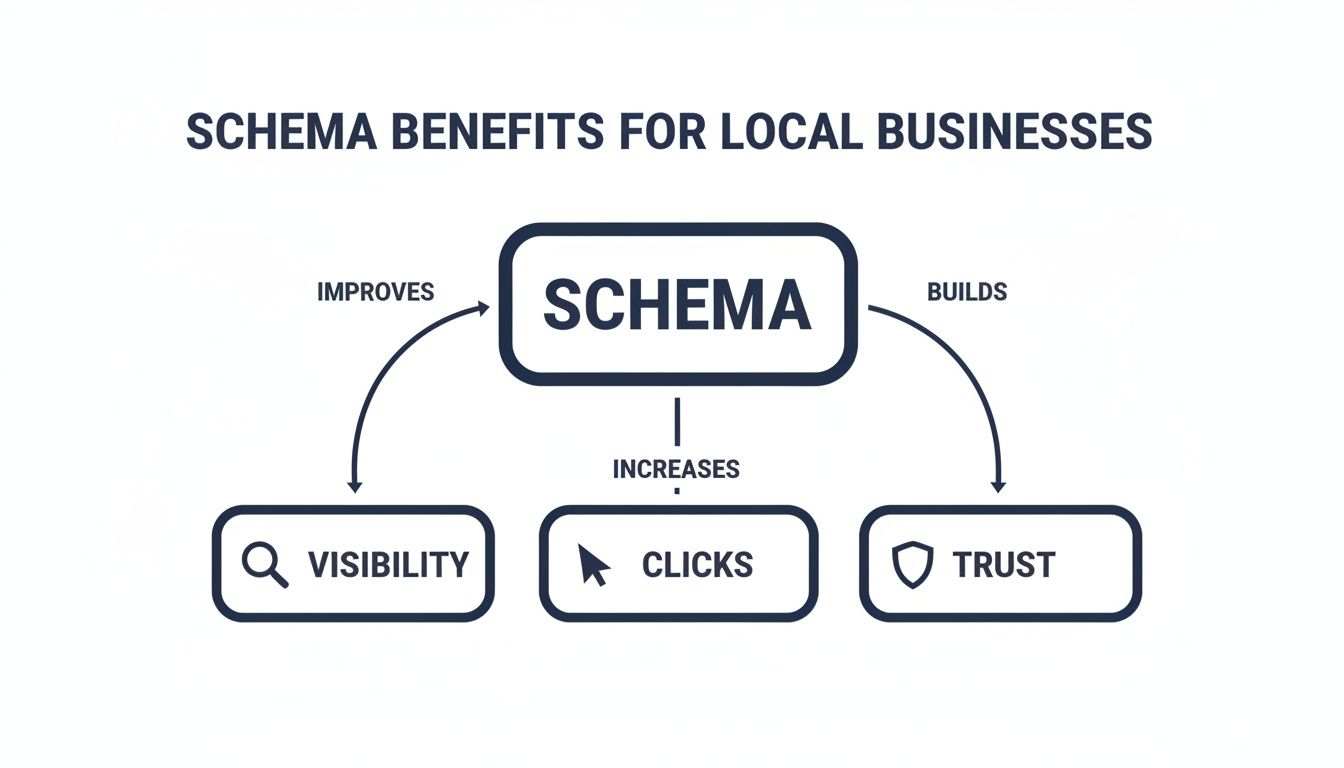
As you can see, schema is the bridge connecting the data on your site to the real-world SEO results that help you grow.
LocalBusiness and Organization Schema
For any business with a physical address or a defined service area, LocalBusiness schema is an absolute must. This is the code that feeds your info directly into local search results, including the highly-coveted Google Maps 3-pack. It spells out critical details like your address, phone number, hours, and even payment options.
A slightly broader but equally important type is Organization schema. This is great for all businesses to lock in your official name, logo, and contact info, helping you secure that branded Knowledge Panel on the right side of Google's search results.
- What it does: It clearly tells Google you're a local entity.
- Key information: Your business name, address, and phone number (NAP), plus your logo, hours, and website.
- Rich result example: An eye-catching listing in the local map pack showing your hours and a handy click-to-call button.
Product and Service Schema
If you sell anything—physical products, digital downloads, professional services—these schema types are your new best friends. Product schema lets you push specific details like price, stock availability, and customer ratings right into the search results. This creates a far more compelling and informative listing that grabs attention.
In the same way, Service schema defines exactly what you offer. A plumber could use it to highlight "24/7 emergency repairs," while a marketing agency could list out "SEO Audits." This helps you show up for those very specific, high-intent searches. This is also becoming a huge factor as you optimize your website for voice search, where search assistants need precise data to answer spoken questions.
Article Schema
Does your business use a blog or content marketing to attract new customers? If so, Article schema is non-negotiable. This markup tells search engines that your page is a blog post, a news piece, or an in-depth story. It helps Google pull out key elements like the headline, author, publication date, and featured image.
When you use Article schema correctly, your content can become eligible for spots in the "Top Stories" carousel and other high-visibility news features. It’s a powerful signal that your content is timely, authoritative, and well-structured.
- Who it's for: Any company that runs a blog or posts articles.
- What it communicates: The headline, author, publish date, and main image.
- Potential rich result: A listing that pops with a thumbnail image next to your headline, making it far more clickable than a standard blue link.
FAQPage Schema
Have a page on your site dedicated to answering common customer questions? You need to be using FAQPage schema. This markup takes the questions and answers from your page and can display them as an interactive, collapsible dropdown menu right below your main search result.
This is an incredibly powerful rich result. For one, it takes up a ton of extra real estate on the search results page, pushing your competitors further down. More importantly, it provides instant answers and establishes your authority before the user even clicks. It's one of the most visually impressive schema types you can implement.
How to Implement Schema Markup on Your Website

Alright, now for the fun part—actually getting schema markup onto your website. If that sounds intimidating, don't worry. This isn't nearly as technical as it used to be, and you definitely don't need to be a coding wizard to pull it off.
We're going to focus on JSON-LD, which is Google's preferred format. The reason is simple: it's the cleanest and easiest way to do it. Think of it like a separate instruction manual for search engines that you can just hand them, without having to mess with the visible parts of your website. It boils down to a simple three-step process: generate, add, and test.
Step 1: Generate Your Schema Code
First things first, you need to create the actual schema script. A few years ago, this meant writing it all by hand, line by line. Today, there are amazing free tools that do all the heavy lifting for you. All you have to do is fill in some blanks.
One of the best tools out there is Google's own Structured Data Markup Helper. It's pretty cool because it lets you visually click on elements of your page—like your business name or a blog post title—and then tag them with the right schema property.
For an even faster method, you can use a tool like the Schema Markup Generator from Merkle. Here’s how simple it is to create a schema for a local business:
- Pick Your Schema Type: Just choose "Local Business" from the dropdown list.
- Fill in Your Business Details: Type in your business name, address, phone number, website, and be sure to add your logo. The more complete and accurate the information, the better.
- Copy the Generated Code: Like magic, the tool spits out a perfect JSON-LD script on the right side of the screen. Just click to copy it.
And that's it! You now have a clean, perfectly formatted block of code ready to go.
Step 2: Add the Code to Your Website
Now that you've got your schema script copied, you just need to put it on the right page. The best place for this JSON-LD script is within the <head> section of your page's HTML. Placing it here ensures search engine crawlers find it right away when they visit.
If you're on a platform like WordPress, this is incredibly easy.
- Use an SEO Plugin: Tools like Yoast SEO or Rank Math already handle some basic schema for you (like Organization or Article schema). For custom types, they usually have a spot where you can just paste in the JSON-LD code you generated.
- Check Your Theme Options: Many modern WordPress themes have a built-in section for adding scripts. Look for something called "Code Snippets" or "Header/Footer Scripts" in your theme settings.
- Manual Insertion (For the Brave): You can also add the script directly to your theme's
header.phpfile. Just be careful—using a plugin is usually safer because it protects your code from getting wiped out when you update your theme.
Schema isn't just for massive corporations. In fact, data shows that 40% of businesses implementing it are small companies with fewer than five employees. That proves anyone can do it. So many websites still have no structured data at all, which gives you a huge opportunity to stand out. Not surprisingly, JSON-LD is the most popular format, used by 49.7% of sites with schema because it's so easy to work with. You can dig into more stats in this insightful schema markup industry report.
Step 3: Test and Validate Your Markup
This final step is absolutely critical. You can't just add the code and hope for the best; you have to make sure search engines can actually read it correctly. One misplaced comma or typo can break the whole thing.
Thankfully, Google gives us a free and essential tool for this: the Rich Results Test. This tool does two things: it tells you if your structured data is valid, and it shows you which rich results your page might be eligible for.
To use it, just pop your webpage URL into the tool and let it run. It'll quickly tell you if your schema is detected and valid.
Pro Tip: Do not skip this step! Testing is the only way to know if your hard work is going to pay off. When you see that green "Valid" checkmark, you know Google understands your code and you're in the running for those awesome rich results.
If the tool finds any errors or warnings, it will point you to the exact line of code that's causing the problem. You can then tweak your script, update it on your site, and run the test again until you get the all-clear.
Common Schema Mistakes and How to Avoid Them
Schema markup is an incredible tool for SEO, but it’s a game of precision. One small mistake—a misplaced comma or the wrong property—can make your entire code invisible to search engines. Even worse, some mistakes can get you a manual action from Google.
Think of it like giving someone GPS coordinates. If you're off by even a single digit, you send them to the wrong place entirely. To make sure all your hard work pays off with those beautiful rich results, let’s walk through the most common pitfalls and how to steer clear of them.
Mismatching Schema with Content
Probably the most frequent mistake is just applying the wrong kind of schema to a page. Using Product schema on a blog post or FAQPage schema on a simple contact page just confuses Google. Your markup needs to be a true reflection of the main content on the page.
You wouldn't label a banana as an "apple" and expect someone to find it when they want to bake an apple pie. The same logic applies here. If your page is an article, it needs Article schema. If it’s a recipe, grab the Recipe schema. Always pick the most specific type that actually fits.
Key Takeaway: Your schema choice is a promise to search engines about your page's content. Ensure the markup is an honest and accurate representation of what the user will find.
Marking Up Invisible Content
Google’s guidelines couldn't be clearer on this: your structured data must match content that a user can see on the page. You can’t add schema for a five-star rating if those reviews aren’t actually displayed anywhere. That's a fast track to getting your schema ignored.
For example, hiding a list of FAQs in your schema code without showing them on the page is a direct violation. This kind of thing is seen as trying to game the system, and it's a quick way to get penalized.
- What Not to Do: Add
reviewschema showing a 4.8 rating when no user reviews are visible. - What to Do Instead: Make sure every piece of information in your schema—from business hours to product prices—is present and easy for a human visitor to find on that same page.
Leaving Out Required Properties
Every schema type has a list of "required" and "recommended" properties. While you should always aim to fill out as much as you can, leaving out a required property will completely invalidate that block of schema.
For example, Article schema requires a headline. Without it, Google can’t process the markup correctly. Product schema needs either a name, review, aggregateRating, or offers property to be considered valid. Skipping these fundamentals is like trying to mail a letter without an address—it’s just not going to get where it needs to go.
Always double-check the official documentation on Schema.org or Google’s developer guides to see which properties are essential for the markup you're using. This one simple step can save you a ton of frustration.
Frequently Asked Questions About Schema Markup
Even after you get the hang of the basics, some questions always pop up about how schema markup works in the real world. Let's tackle some of the most common ones we hear from business owners and marketers.
Think of this as your quick-reference guide to clear up any lingering confusion and help you move forward with confidence.
Is Schema Markup a Direct Ranking Factor?
This is the big one, and the answer isn't a simple yes or no. Schema markup is not a direct ranking factor like a backlink or a keyword in your title tag. Google won't see your schema and automatically bump you up three spots.
However, it has a massive indirect impact on your SEO. I like to call schema a ranking enabler.
When you help search engines understand your content, you become eligible for rich results—those flashy, enhanced listings with star ratings, FAQs, and product images. These things are magnets for eyeballs on a crowded search page, which leads to a much higher click-through rate (CTR). A better CTR tells Google that your page is a great answer for that search, which can absolutely influence your rankings over time.
In short: Schema gives you the tools to earn more clicks and engagement from searchers. That engagement is a strong signal that absolutely contributes to better rankings down the road.
Can I Use Multiple Schema Types on a Single Page?
Yes, you absolutely can, and you often should. It's a common and totally recommended practice to use multiple types of schema on a single page, as long as each one accurately describes a different element that's actually on the page. Some people call this "nesting" schema.
For instance, a single product page for your local shop could use several types:
- Product Schema: To describe the item for sale, its price, and whether it's in stock.
- Review Schema: To mark up all those great customer reviews you're showing off.
- BreadcrumbList Schema: To show where the page fits within your website's hierarchy.
- LocalBusiness Schema: To tie the product back to your physical storefront.
The key is making sure every piece of markup is relevant and correctly implemented. Using multiple types gives search engines a much richer, more complete picture of your page, making it more useful for them and, ultimately, for your potential customers.
What Is the Difference Between Schema, Structured Data, and Rich Results?
People tend to throw these terms around interchangeably, but they're actually three distinct parts of the same process. Getting them straight is key.
Think of it like baking a cake. You have the recipe book, the mixed ingredients, and the final, decorated cake.
- Schema (or schema.org): This is your recipe book. It’s the official library of all the terms and definitions you can use, like
LocalBusiness,name, andaddress. - Structured Data: This is your cake batter. It’s the actual code you place on your website, using the vocabulary from your schema.org recipe book. It’s the JSON-LD script you’re putting on the page.
- Rich Results (or Rich Snippets): This is the beautifully decorated cake you serve at the party. It's the final, visually enhanced listing you see in Google's search results—the star ratings, FAQ dropdowns, and event times.
So, to put it all together: You use the Schema vocabulary to create Structured Data on your site, which makes you eligible to earn Rich Results in search.
How Long Does It Take to See Rich Results?
This is a tricky one because there's no magic number. Once you've implemented your schema and confirmed it's valid, it's all up to Google. The search engine has to re-crawl your page, process the new code, and then decide if your page is a good candidate for a rich result on relevant searches.
This process can take anywhere from a few days to several weeks. Sometimes rich results show up surprisingly fast; other times, they may not appear at all, even if your code is perfect.
A few things can influence the timeline:
- The authority and trust Google has in your website.
- The quality and originality of your page's content.
- How competitive the keywords you're targeting are.
Your best bet is to implement the schema correctly, double-check it with the Rich Results Test, and then keep an eye on your performance reports in Google Search Console. Patience is a virtue here.
Ready to stop guessing and start getting seen? The team at Site Igniters combines expert SEO with strategic web design to turn your website into a powerful growth engine. We help businesses in Sacramento and beyond dominate search results and convert traffic into loyal customers. Let's build your visibility together. Get your free consultation from Site Igniters today!
Seth Sanders is the founder of Site Igniters, a digital marketing agency in El Dorado Hills, California.